 HuntGrid
HuntGrid Fishing
Free fishing app with depth maps and offline lakes
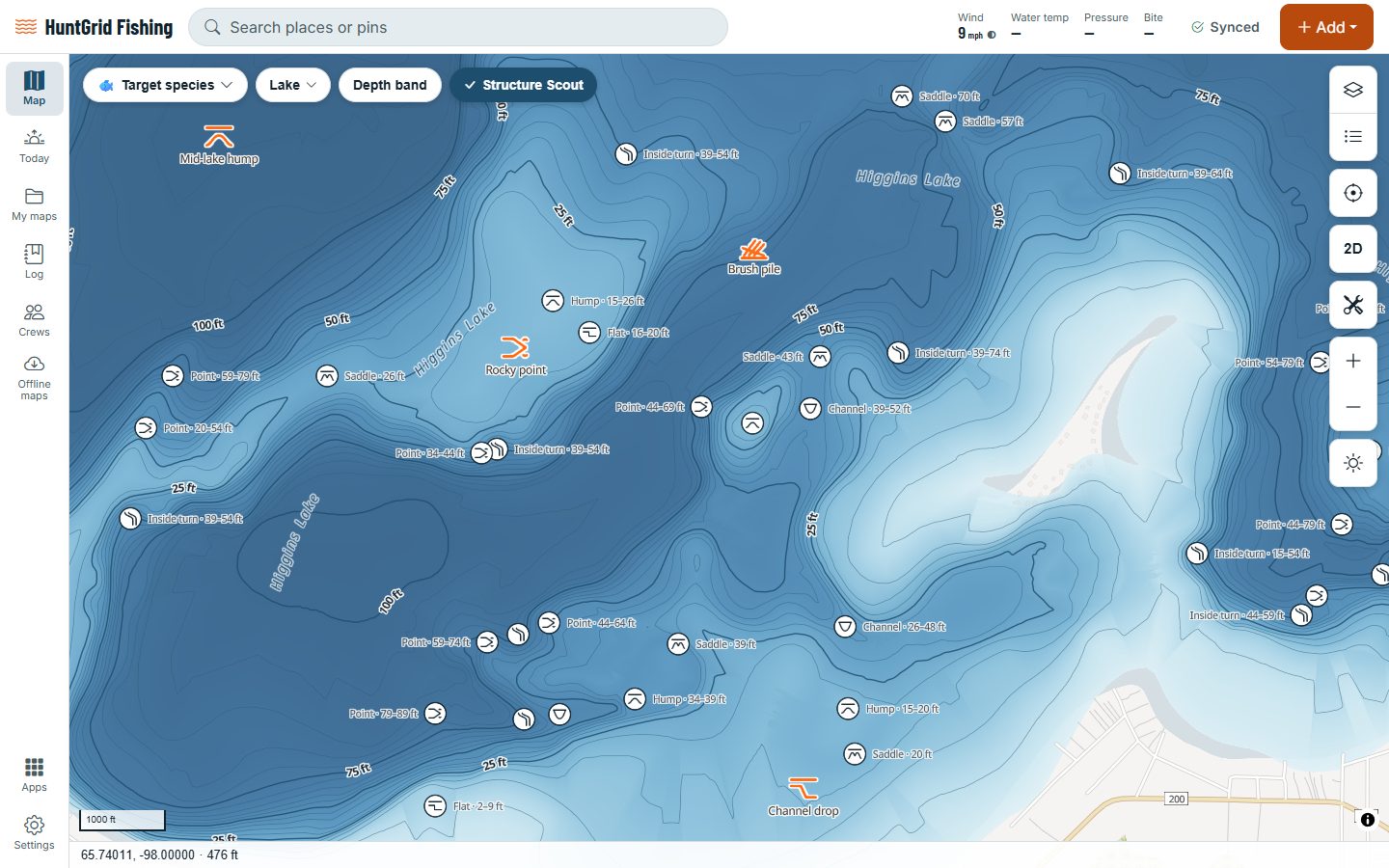
Lake depth maps, public access in plain words and a big-button Fish Mode, on your phone and your computer. Your spots stay private, and one free account works for HuntGrid Hunt too.
Map data © OpenStreetMap contributors, © OpenMapTiles; terrain: Copernicus WorldDEM-30 (credits)
Everything for the water, on one map
For anglers who fish from the bank, a kayak or a boat: plan at your desk, then take it on the water.
Lake depth maps
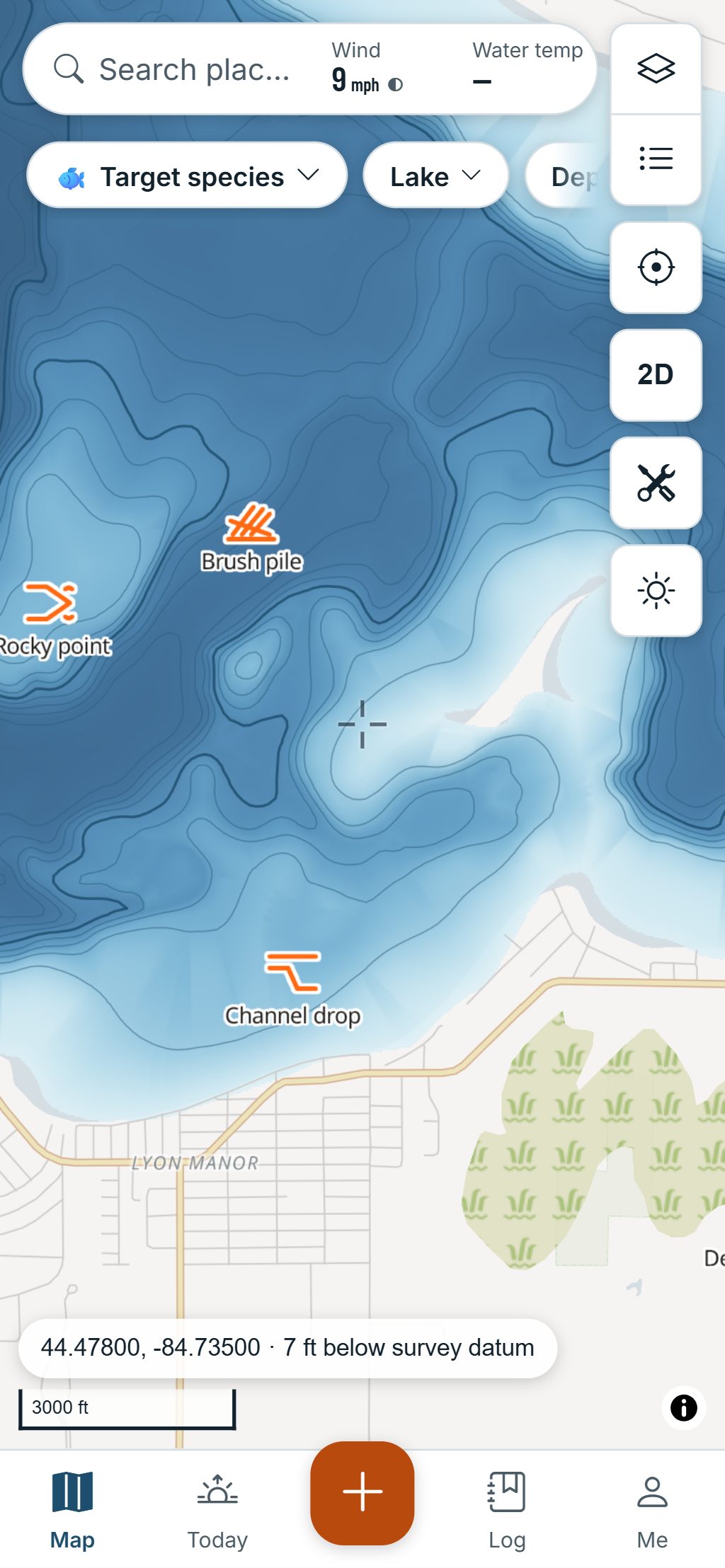
Depth shading and contour lines in feet or metres, the depth under your finger, and the survey’s source and date. Structure Scout points out humps, saddles, points and channels.
Can I fish here?
Tap a lake or river: public access, the nearest public launch or shore, and the access law in plain words, each with its source. When we don’t know, it says Unknown.
Can I keep it?
Fish Check gives the size and bag limits for a species at that water on that day, with the official source, even offline. Rules not yet checked by a person say so.
Tide charts
High and low tides with the curve for the week, worked out on your phone so they keep working offline.
Marine forecast and go/no-go
Wind, gusts and waves hour by hour against your boat’s limits: Go, Caution or No-go, with the reasons.
Bite forecast and Today
Today shows your favourite waters with a bite score from Tough to Great, the best windows, the weather and the water.
Fish Mode
Big buttons for wet hands: log a catch or a bite, mark a spot, take a photo. The screen stays on, there are no ads and it works with no signal.
Catch log
Log a catch in three taps: the place and the water fill in on their own. Your log keeps every catch and trip, with filters. Your tackle box shows which lures are working.
Offline lakes and rivers
Download a lake, or a stretch of river, in one tap before you go, and fish with zero bars.
More fishing features
- Ice fishingIce Mode: numbered holes with their depth, tip-up timers, Flag up! and your lines against the legal limit.
- Crews and tournamentsOne shared log for your boat, and club tournaments with photo entries and a live leaderboard.
- Import spots and catchesWaypoints from your plotter or Navionics and catches from Fishbrain, with fishing icons and a review step.
Fishing by species
- Walleye fishing appWalleye or sauger, private spots, a three-tap catch log and rigs offline.
- Bass fishing appLargemouth or smallmouth, private spots, a three-tap catch log and rigs offline.
- Trout fishing appBrook, brown, rainbow and lake trout, private spots and a catch log that works with no signal.
- Salmon and steelhead fishing appCoho or Chinook, private pools and trolling spots, and a catch log that works with no signal.
- Pike and muskie fishing appPike or muskie, private big-fish spots, a three-tap catch log and release how-tos.
- Crappie and panfish fishing appCrappie, bluegill, sunfish and perch, private spots, a three-tap catch log and rigs offline.
- Catfish fishing appChannel cats, flatheads and bullheads, private holes, a three-tap catch log and bottom rigs offline.
- Redfish and inshore fishing appRedfish, seatrout, snook and stripers, offline tide charts, private spots and a three-tap catch log.
- Offshore fishing appTuna and mahi, marine forecasts with Go, Caution or No-go for your boat, private spots and a three-tap catch log.
- Ice fishing app for perch, walleye and pikePerch, walleye, pike, whitefish and more through the ice: Ice Mode, tip-up timers and private spots.
Fishing guides
- Read a lake depth mapContour lines, drop-offs, humps and flats, the survey’s age, and the water level on the day.
- Lake turnover explainedWhy lakes layer in summer and mix in spring and fall, and how to fish through it.
- Tides for fishingHighs and lows, spring and neap tides, moving water and how to read a tide table.
- Ice safety basicsThe agencies’ thickness guidance, where ice is weaker, the gear to carry and self-rescue.
- Solunar times for fishingMajor and minor periods, why they move every day, and how to test them on your own water.
- Fishing without cell serviceDownload a lake or a river stretch, and know what works offline and what needs a signal.
Switching from another app?
- Free onX Fish alternativeonX Fish and HuntGrid Fishing side by side, and how to bring your waypoints over.
- Navionics alternativeNavionics and HuntGrid Fishing side by side, and how to bring your markers over.
- Fishbrain alternativeFishbrain and HuntGrid Fishing side by side, and how to bring your catches over.
- Move your spots and catchesStep by step, from Navionics, onX Fish, Fishbrain or your chartplotter.
Map data © OpenStreetMap contributors, © OpenMapTiles; terrain: Copernicus WorldDEM-30 (credits)
Privacy
Your spots stay secret
The spots you mark are yours alone. Nobody sees where you fish unless you share it.
- Spots, catches and tracks are private by default, on every device you sign in to.
- We never sell location data, spots or catches, to anyone.
- Share a spot with a friend or your crew exactly, roughly or by the water only: your choice.
- Export your data or delete your account at any time.
One free account for Hunt and Fishing
Already use HuntGrid Hunt? Sign in to HuntGrid Fishing with the same account, on every device. Your groups come with you.
Pricing
Free to fish with
One free account for fishing and hunting, on every device. No credit card.
Free
$0 forever
- Every feature on this page
- Unlimited spots
- 3 offline areas, shared with HuntGrid Hunt
- 100 MB for photos, shared with HuntGrid Hunt
- No ads on the map or in Fish Mode
Premium Later
One membership for every app
- Ad-free and Pro options are planned
- One price for HuntGrid Hunt and HuntGrid Fishing
- Never per-state or per-lake add-ons
Prices will be posted here first. Your free account keeps working.
Questions
Still have a question? Read the HuntGrid Fishing help pages or email support@huntgrid.net.
Is HuntGrid Fishing really free?
Yes. Everything on this page is in the free plan, with no credit card. Paid options will come later for people who want them, and one membership will cover every HuntGrid app. There are never ads on the map or in Fish Mode.
Can I use my HuntGrid hunting account?
Yes. HuntGrid Hunt and HuntGrid Fishing share one free account: sign in to fishing.huntgrid.net with the same email and password or passkey, on every device.
Where do the depth maps come from?
From depth surveys that government agencies publish as open data. The map shows each survey’s source and date, and where there’s no survey it shows no depth rather than a guess. Depth maps help you fish; they aren’t for navigation.
How does it know if I can fish somewhere?
Tap a lake or river. The Water card shows what we know about public access there, the nearest public access and the access law in plain words, each with its source. When we don’t know, it says Unknown instead of guessing. Signs and the official rules always have the final word.
Does it show the fishing regulations?
Yes. Fish Check gives the size and bag limits for a species at a water on a date, with each rule’s official source. Rules a person hasn’t checked yet are labelled as not verified. Always confirm with the official regulations.
Does it work with no cell signal?
Yes. Download a lake or a stretch of river in one tap before you go and its map works with zero bars. The spots, photos and tracks you add on the water save on your phone and sync when you’re back in range, and Fish Mode works with no signal.
Does HuntGrid Fishing work on iPhone and Android?
Yes, and on computers. It’s a web app: open fishing.huntgrid.net, then on iPhone choose Share and Add to Home Screen in Safari, or on Android choose Install app or Add to Home screen in Chrome. It opens full screen like any app. It isn’t in the App Store or Google Play yet.
Will other anglers see my spots?
No. Your spots, catches and tracks are private: nobody sees where you fish unless you share it. We never sell location data, spots or catches. When you share a spot, you choose how exact it is.
Is HuntGrid Fishing available in French?
Yes. The whole app is available in English and Canadian French. Voir la page en français.
Your next fishing trip starts on the map
Create a free account and open HuntGrid Fishing in your browser. The same account works for HuntGrid Hunt.
Already have an account? Sign in