 HuntGrid
On the water
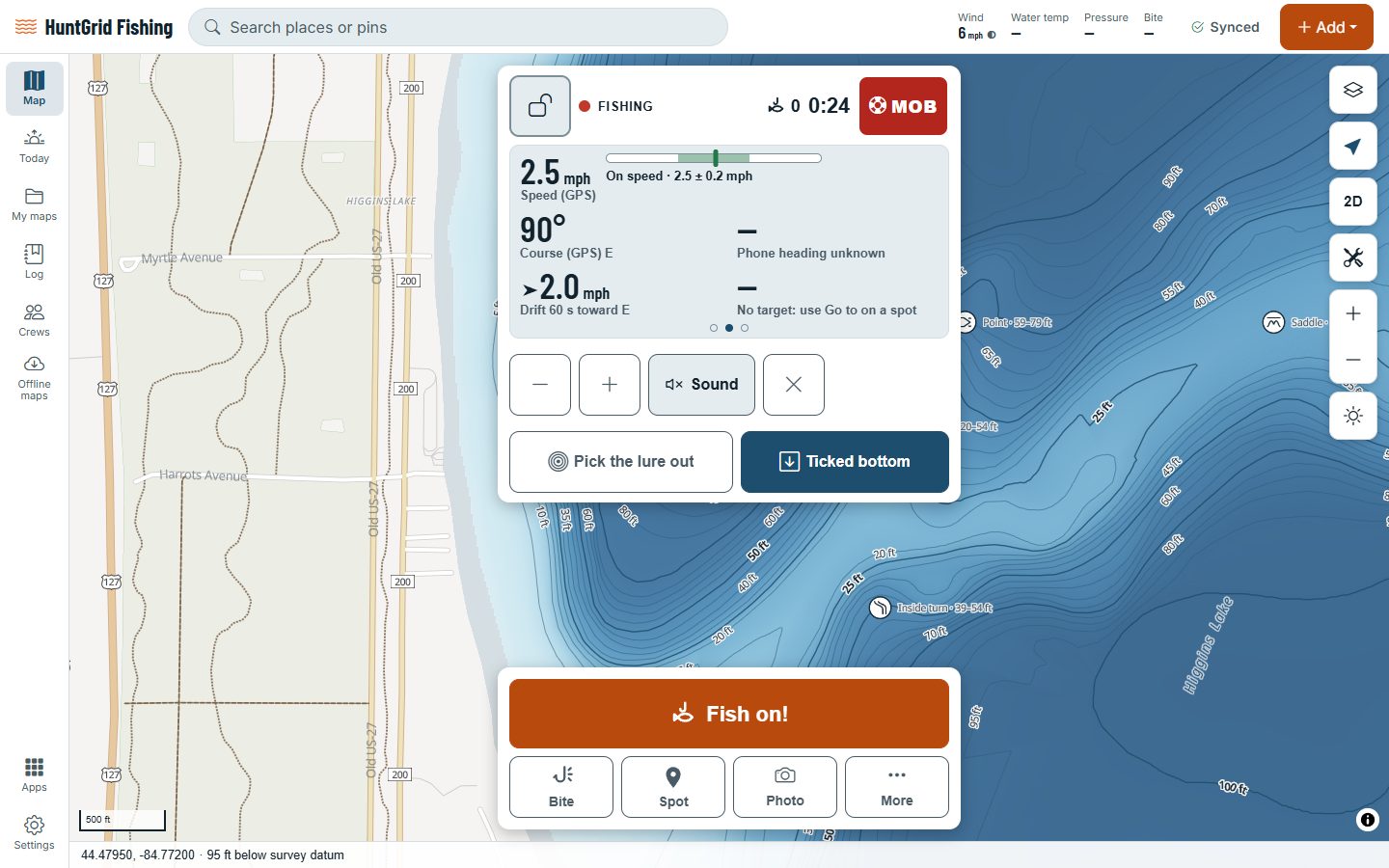
Fish Mode and boat instruments
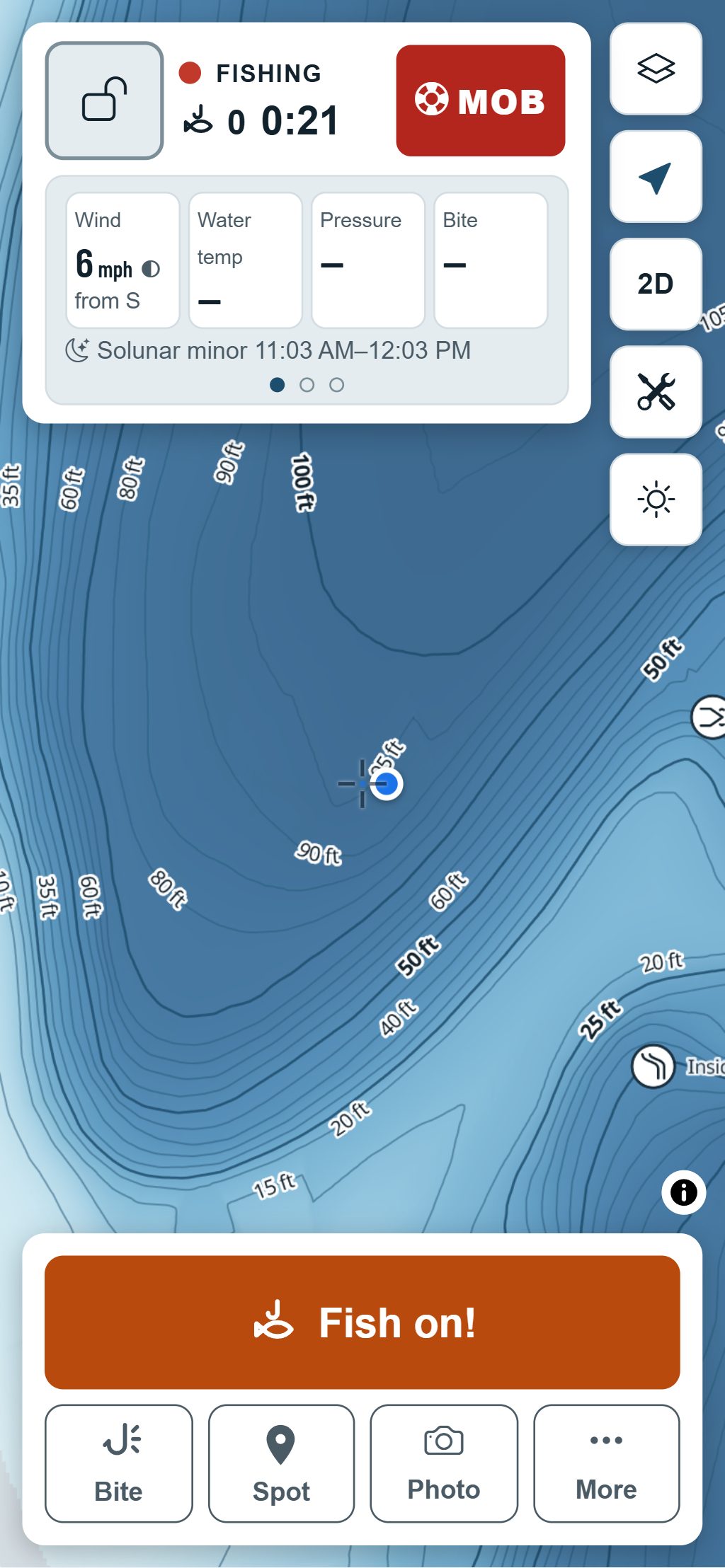
Tap Start fishing and the map becomes Fish Mode: big buttons for a catch, a bite, a spot or a photo, your boat’s instruments one tap away, and a screen that stays awake. No ads, and it works with no signal.
Map data © OpenStreetMap contributors, © OpenMapTiles; terrain: Copernicus WorldDEM-30 (credits)
Made for wet hands
Every button is at least 64 px, and everything works by a single tap: no swipes, no small targets.
Big buttons
A full-width button for a catch, and big Bite, Spot and Photo buttons right under the map.
A trip that keeps itself
Start fishing begins a trip and your catches line up on its timeline. Turn on a setting and your track records too.
Awake, ad-free, offline
The screen stays on while you fish, there are never ads in Fish Mode, and it all works with no signal.
Day, Sun or Night
Switch to the bright-sun or night display from More in one tap, for glare at noon or dark at dawn.
Fish on!
One tap marks the catch the moment it bites, with the time and place. Add the species later; Undo is right there.
One-tap notes
A follow, a lost fish, birds or bait: tap it and it lands on the trip’s timeline.
Conditions in big numbers
The header’s first page shows the water’s conditions in large type you can read from the back of the boat.
Splash lock
Lock the screen against splashes and stray taps while the map keeps following you; hold the button to unlock.
Map data © OpenStreetMap contributors, © OpenMapTiles; terrain: Copernicus WorldDEM-30 (credits)
Instruments
Your boat’s numbers, one tap away
Tap Fish Mode’s header to reach the instruments, worked out from your phone’s GPS.
- Speed over ground, smoothed over a few seconds so it stays steady.
- Course over ground, and the heading from your phone’s compass where the browser allows it.
- Drift speed and direction over the last 60 seconds.
- Distance and bearing to the spot you’re heading for.
- A trolling speed bar, with a sound when you’re off your target speed.
- Ticked bottom: mark when your lure touches bottom and Fish Mode learns how much line to let out for a depth, from your own calibrations.
- An anchor alarm that sounds when the boat leaves the circle you set, while the screen is on.
- An alert when you reach a spot, and a warning when the straight line to it crosses land or water too shallow for your boat.
- Man overboard: one tap marks the spot and the time, then shows the way back in big type.
- An emergency sheet with your position in every format, the nearest named place and the emergency numbers.
Phone GPS isn’t a boat’s instruments and HuntGrid isn’t an emergency device: keep a lookout, and carry a marine VHF radio and the gear the law requires for your boat.
Questions
Still have a question? Read the HuntGrid Fishing help pages or email support@huntgrid.net.
What is Fish Mode?
The screen you fish from. Tap Start fishing and the map switches to big buttons, your boat’s instruments and a screen that stays on. End the trip and its catches stay on the trip’s timeline.
Does Fish Mode work with no signal?
Yes. The buttons, the trip, GPS and the instruments all work offline. What you log saves on your phone and syncs when you’re back in range.
Where do the speed and drift come from?
From your phone’s GPS, smoothed over a few seconds so the numbers stay steady. Phone GPS is less precise than a boat’s own instruments, especially at very low speed.
Will Fish Mode drain my battery?
Fish Mode keeps the screen on so it’s ready when a fish bites, and that uses battery. On long days, bring a battery pack.
Your next fishing trip starts on the map
Create a free account and open HuntGrid Fishing in your browser. The same account works for HuntGrid Hunt.
Already have an account? Sign in