 HuntGrid
Offline
Offline fishing maps for lakes and rivers
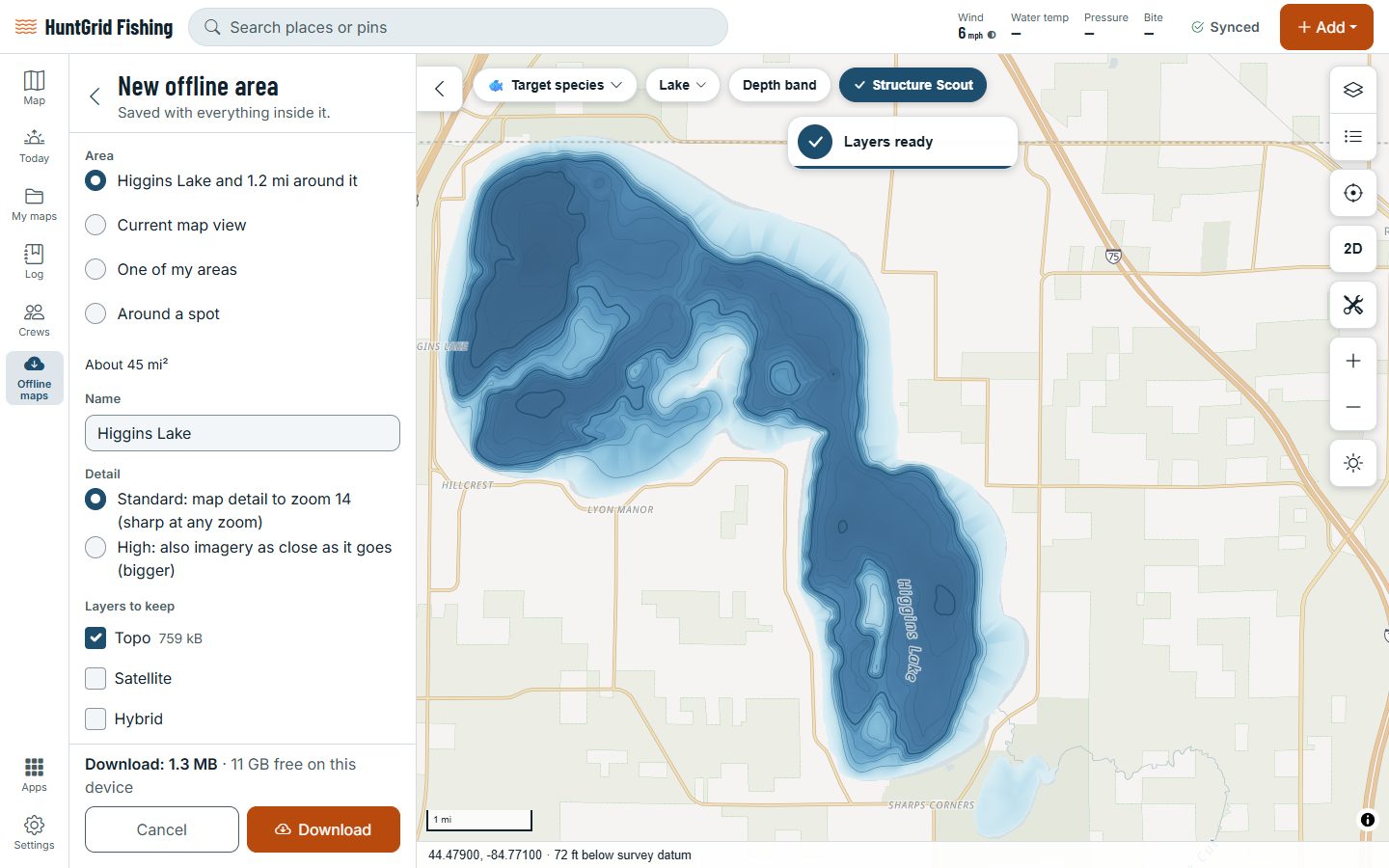
Before you go, tap a lake and choose Download this lake: the lake and 2 km around it save to your phone. On a river, pick two points and download the stretch between them. Depth and public access then work with zero bars.
Map data © OpenStreetMap contributors, © OpenMapTiles; terrain: Copernicus WorldDEM-30 (credits)
One tap per water
Downloads are named after the lake or river, so you know what you have on your phone.
Download this lake
The whole lake and 2 km of shore around it, for launches, roads and the walk in.
A stretch of river
Pick two points on a river: the stretch between them comes with 1 km on each side.
Depth comes too
Depth shading, contours and the depth under your finger work offline on surveyed lakes.
Access on the map
Public launches, piers and other access points stay on the map with no signal.
Shared with Hunt
Offline areas are shared with HuntGrid Hunt: the free plan has 3, for hunting and fishing together.
Structure Scout offline
The humps, points and saddles Structure Scout found come with the lake.
Offshore areas
Big areas of open water at a lower zoom, with depth and the latest sea temperature map.
Map data © OpenStreetMap contributors, © OpenMapTiles; terrain: Copernicus WorldDEM-30 (credits)
No bars
Your water, even in airplane mode
Downloads live on your phone, so the map opens with no signal at all.
- What you add on the water saves on your phone and syncs when you’re back in range.
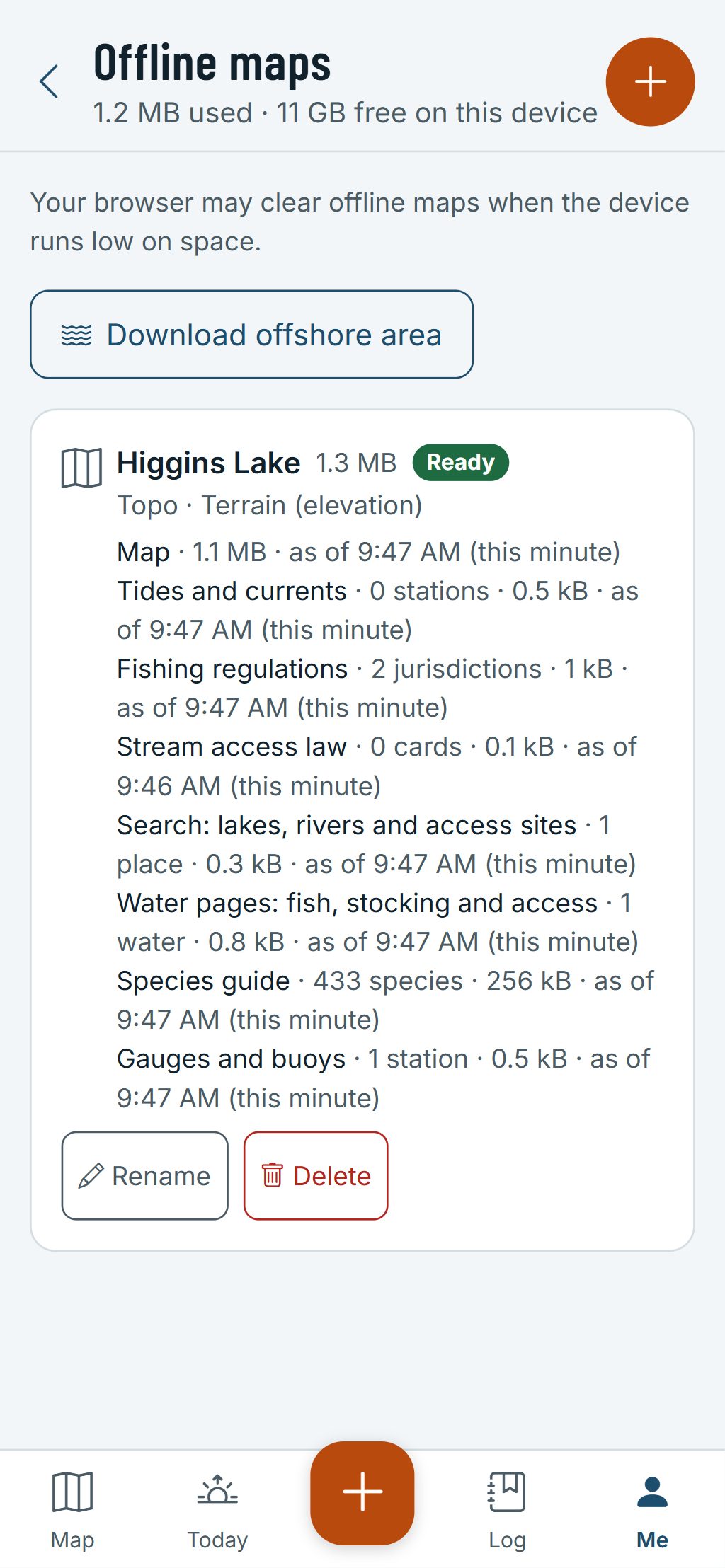
- Each download also carries tide tables, the fishing rules, the access law cards, the species guide and search, with the latest forecast and gauge readings as of the day you saved it.
- While you’re online, saved areas keep their conditions fresh, and every value shows its age.
- See each download’s size and last update, and delete the ones you’re done with.
Download before you leave home: a map you didn’t save can’t load on the water. Depth maps help you fish; they aren’t for navigation.
Questions
Still have a question? Read the HuntGrid Fishing help pages or email support@huntgrid.net.
How do I download a lake?
Tap the lake and choose Download this lake. The lake and 2 km around it save to your phone, named after the lake.
Can I download a river?
Yes. Pick two points on the river and download the stretch between them, with 1 km of land on each side.
How many areas can I download for free?
The free plan has 3 offline areas, shared between HuntGrid Fishing and HuntGrid Hunt. Delete one to make room for the next.
What works without a signal?
The downloaded map with its depth and public access, your spots and what you log, plus the tides, rules and species guide saved with the area. Forecasts and gauge readings show the age of the last ones saved.
Your next fishing trip starts on the map
Create a free account and open HuntGrid Fishing in your browser. The same account works for HuntGrid Hunt.
Already have an account? Sign in