 HuntGrid
Seasons and legal light
Hunting seasons and legal shooting hours, where you stand
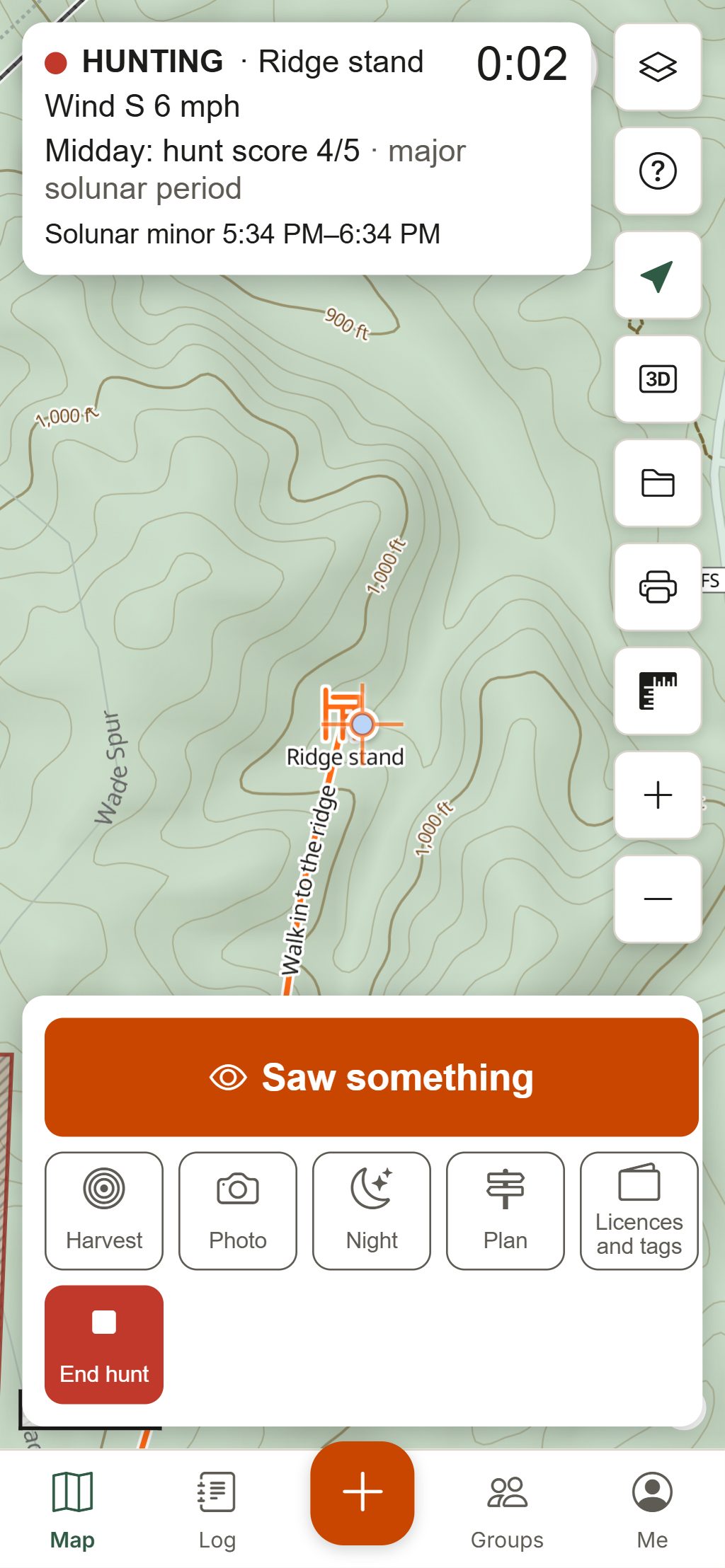
Know what’s open where you stand, when legal light starts and ends at that exact spot, and how many minutes are left, with sun, moon and solunar times beside it, even with no signal.
Map data © OpenStreetMap contributors, © OpenMapTiles; terrain: Copernicus WorldDEM-30 (credits)
Seasons, hours and tags in one place
What’s open here?
Tap the map for the seasons open at that spot today and those opening in the next 30 days, by species, with weapon, sex, units, limits and the official source.
Legal-light countdown
Legal hours worked out on your phone from that spot’s own sunrise and sunset and the state or province’s rule: “Opens in 40 min”, “Open now: ends in 1 h 45 min”. It sits in Hunt Mode too.
Season calendar
Openers and closers for the species you hunt, in the places you saved, month by month, with links to the regulations.
Sun, moon and solunar
First light, sunrise, sunset and last light, moonrise and moonset, phase, and the major and minor solunar periods with a day rating. Try the free solunar table.
Licences and tags
Keep your licences and tags in a wallet with photos of them, reminders before they expire or a draw closes, and a countdown to report your harvest with the official link.
Rules to know here
Checked notices for the state or province you’re in, such as trail camera, drone or baiting rules, each with its source.
How it works
How HuntGrid works out legal shooting hours
Find the jurisdiction
HuntGrid finds the state or province at your spot and its legal-hours rule, and any season that has its own hours, such as some waterfowl seasons.
Compute the sun for that spot
Sunrise and sunset change across a state and through the season, so they’re calculated for your exact location and date, in that place’s time zone.
Apply the rule
Some places count minutes before sunrise and after sunset, others use fixed clock times or other wording. Where a jurisdiction has no rule HuntGrid can calculate, it says to check the regulations.
Count down
The card and Hunt Mode refresh the countdown every 30 seconds, offline too.
Checked by a person, never guessed
Season dates are drafted from each agency’s official regulations, and each one appears in HuntGrid only once a person has checked it against that source. The card shows when the seasons were last verified and links to the official regulations. If a jurisdiction’s seasons haven’t been checked yet, the card says so and points you to the official regulations rather than guessing.
Offline too
Each offline area saves the checked seasons and legal-hours rules of the places it touches, refreshed weekly when you’re online.
Season alerts
Pick your favourite species and get a notice when their season opens or closes near your saved spots.
Spotted an error?
“Report an error in these seasons” on the card sends it straight to the person who checks them.
HuntGrid is a guide, not the law: the official hunting regulations of your state or province always have the final word.
Questions
Still have a question? Read the help pages or email support@huntgrid.net.
What are legal shooting hours?
They are the times of day when hunting is allowed, set by each state or province. They are often tied to sunrise and sunset, but the rule differs by jurisdiction and sometimes by season or species, so always check your regulations.
How do I find legal shooting hours for my location?
Sunrise and sunset change with your exact location and the date, so a single table for a whole state can be off by several minutes. HuntGrid calculates them for the spot you tap and applies your jurisdiction’s rule where it’s on file, with a countdown.
Does HuntGrid have the hunting season dates for my state?
Season dates appear once a person has checked them against the official regulations, one state or province at a time. Where they haven’t been checked yet, HuntGrid says so instead of guessing: use your agency’s regulations.
Do legal hours work offline?
Yes. Legal hours, sun and moon times are calculated on your phone, and each offline area saves the checked seasons and legal-hours rules of the places it covers.
What is a solunar table?
A solunar table lists the major and minor periods around moon overhead, underfoot, moonrise and moonset, which many hunters use to plan their sits. HuntGrid shows them for any spot and rates each day.
Your next hunt starts on the map
Create a free account, download your area and head out. No credit card, no per-state fees.
Already have an account? Sign in