 HuntGrid
iPhone, Android and computers
A free hunting app for iPhone, Android and your computer
HuntGrid is a web app: open app.huntgrid.net in your browser, add it to your home screen, and it opens full screen like any other app, even with no connection. Plan on the big screen at home, hunt with your phone, and your pins follow you.
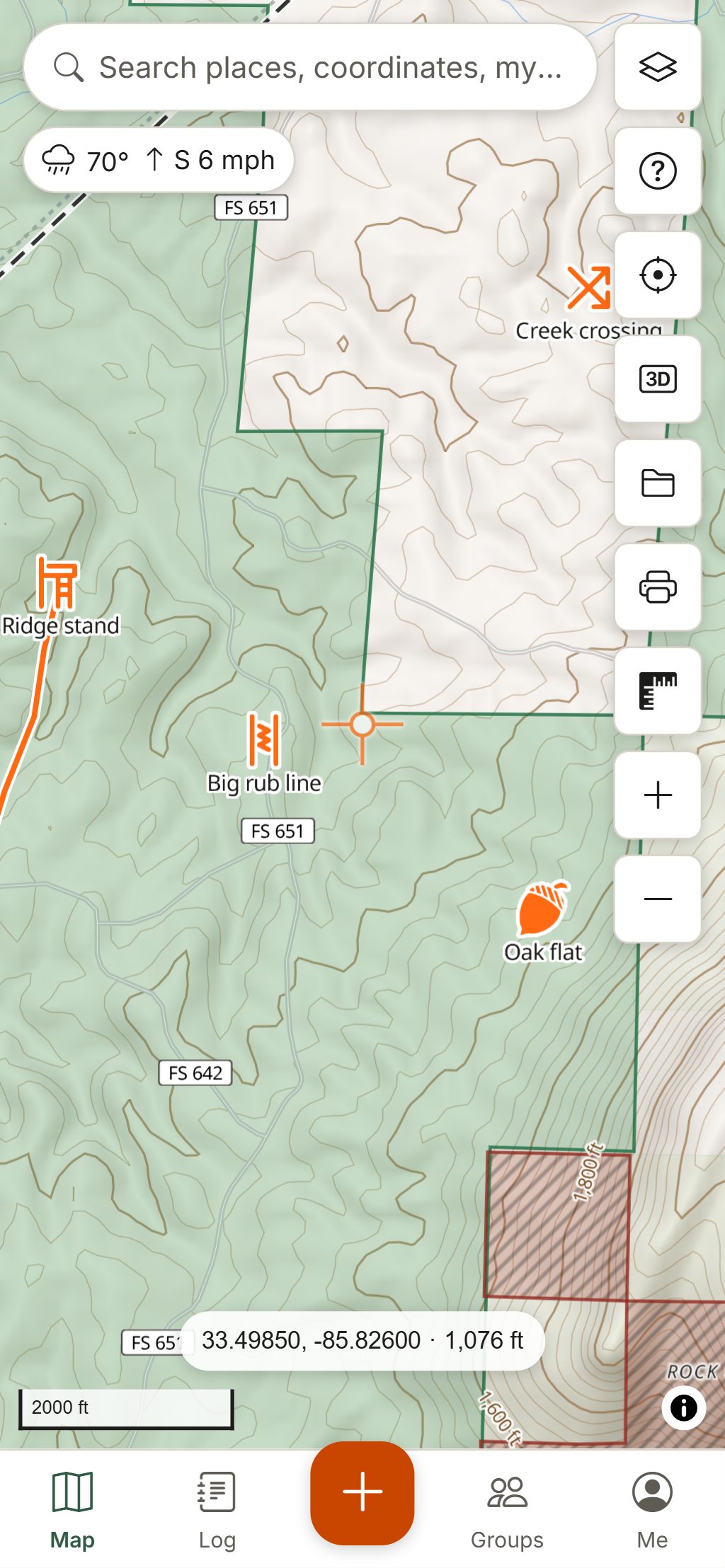
Map data © OpenStreetMap contributors, © OpenMapTiles; terrain: Copernicus WorldDEM-30 (credits)
Install it in under a minute
No app store needed. Store apps are planned; the web app is the same HuntGrid with the same account.
iPhone and iPad
Open app.huntgrid.net in Safari, tap Share, then Add to Home Screen. Do this before you download offline maps: iOS keeps an installed app’s data. Offline maps on iPhone.
Android
Open app.huntgrid.net in Chrome and tap “Install HuntGrid” in the app’s settings or welcome screen, or choose Install app in the browser menu.
Windows and Mac
In Chrome or Edge, use “Install HuntGrid” or the install icon in the address bar. Any modern browser can also simply keep it open in a tab.
One account, every device
Your data syncs
Waypoints, stands, lines, tracks, sightings, harvests and photos save on the device first and sync to your other devices when there’s a connection.
Maps for each phone
Offline areas download to the device you’re holding, so each hunter’s phone carries its own. Offline hunting maps.
Made for one hand
A bottom tab bar on phones (Map, Today, Log, Me), big touch targets, a red night style and Today for the next sit.
Big screen for planning
On a computer you get the full map, keyboard shortcuts, drawing tools, imports and printing PDF maps.
Alerts
Wind-right, pressure, season and weather alerts come as notifications where your browser allows them (on iPhone, once HuntGrid is on the Home Screen), in the app, or as an email digest.
Free, without per-state fees
Every feature on this site is in the free plan, with 3 offline areas. No credit card.
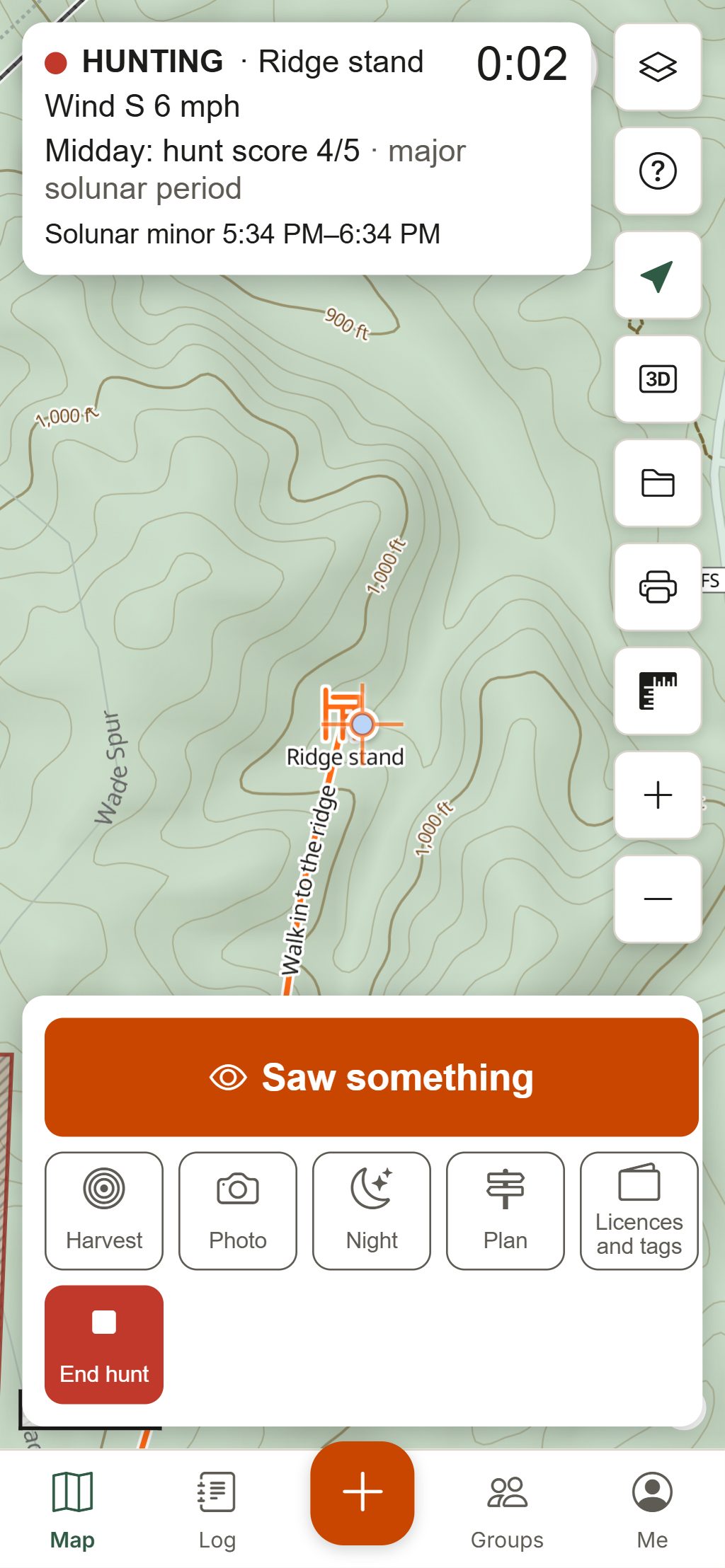
Map data © OpenStreetMap contributors, © OpenMapTiles; terrain: Copernicus WorldDEM-30 (credits)
In the field
What a web app can and can’t do in the woods
- The app opens with no connection once it has loaded on that device.
- Your GPS position, offline maps, pins and logging all work with no cell service.
- Location and track recording run while HuntGrid is open on screen; pocket mode keeps the screen black while it records.
- Place-name search, live weather, radar and group location need a connection.
Questions
Still have a question? Read the help pages or email support@huntgrid.net.
Is HuntGrid in the App Store or Google Play?
Not yet. HuntGrid is a web app you install from the browser on iPhone, Android and computers; it opens full screen and works offline like a store app. Store apps are planned, with the same account.
Does HuntGrid work on iPhone?
Yes. Open app.huntgrid.net in Safari, tap Share, then Add to Home Screen, and download your offline areas from the installed app so iOS keeps them.
Does HuntGrid work on Android?
Yes. Open app.huntgrid.net in Chrome and choose Install HuntGrid. It runs full screen and works offline once your areas are downloaded.
Can I use the same account on my phone and computer?
Yes. Sign in on each device: your pins, tracks, log and photos sync between them. Offline areas are downloaded on each device that needs them.
What is the best free hunting app?
The one that covers where and how you hunt. HuntGrid is free, works offline, covers the US and Canada with public land and hunting units, and adds wind, weather, seasons and a hunt log, in English and French. Try it on your own ground.
Your next hunt starts on the map
Create a free account, download your area and head out. No credit card, no per-state fees.
Already have an account? Sign in