 HuntGrid
Depth and structure
Lake depth maps and Structure Scout
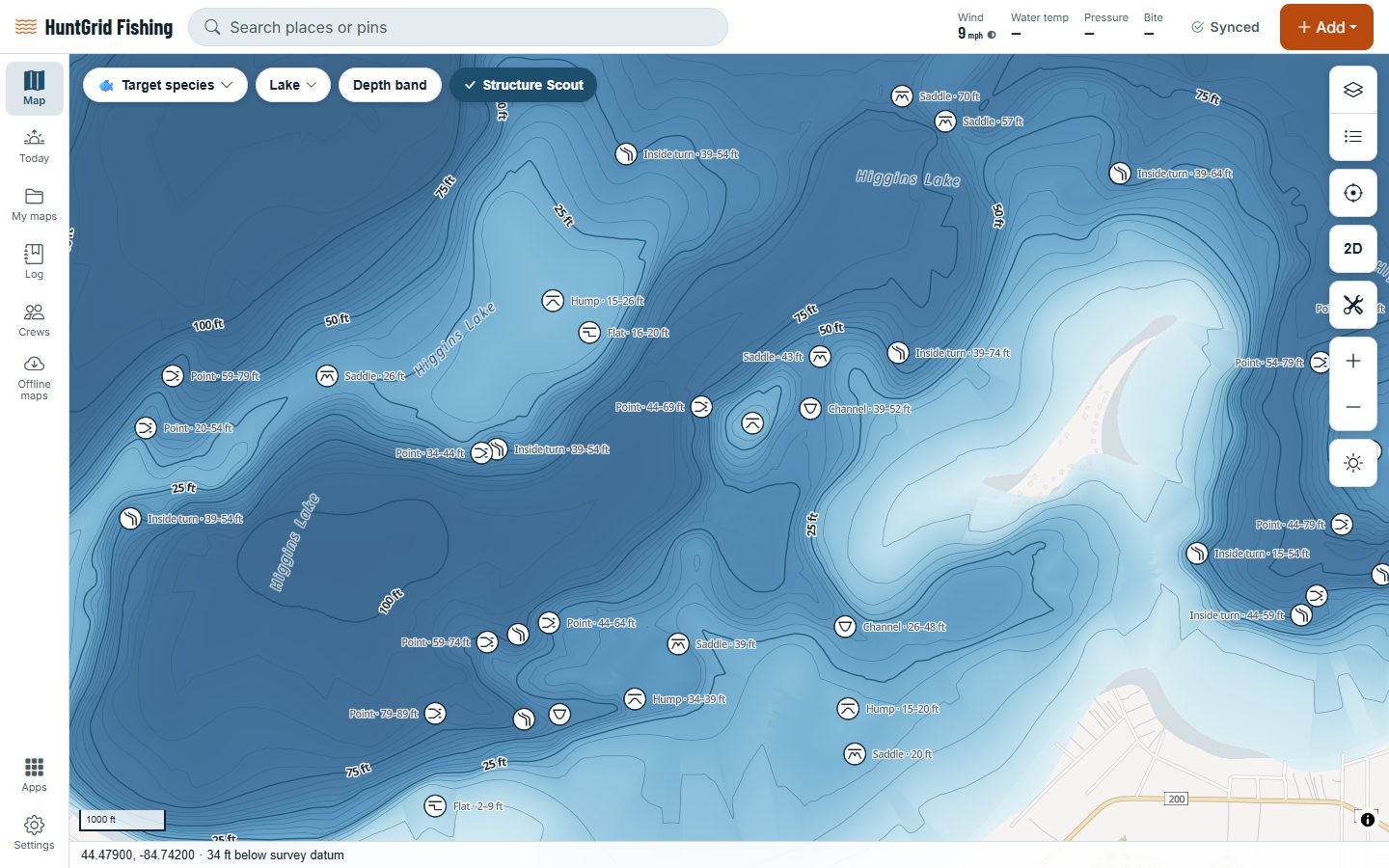
See the bottom of the lake before you launch: depth shading, contour lines in your units and the depth under your finger. Structure Scout then marks the humps, saddles, points, turns, flats and channel edges that hold fish.
Map data © OpenStreetMap contributors, © OpenMapTiles; terrain: Copernicus WorldDEM-30 (credits)
Read the bottom at a glance
Depth comes from lake surveys that government agencies publish as open data. Where a lake hasn’t been surveyed, the map shows no depth rather than a guess.
Depth shading
Colours run from shallow to deep, so drop-offs, basins and flats stand out at a glance.
Contours in your units
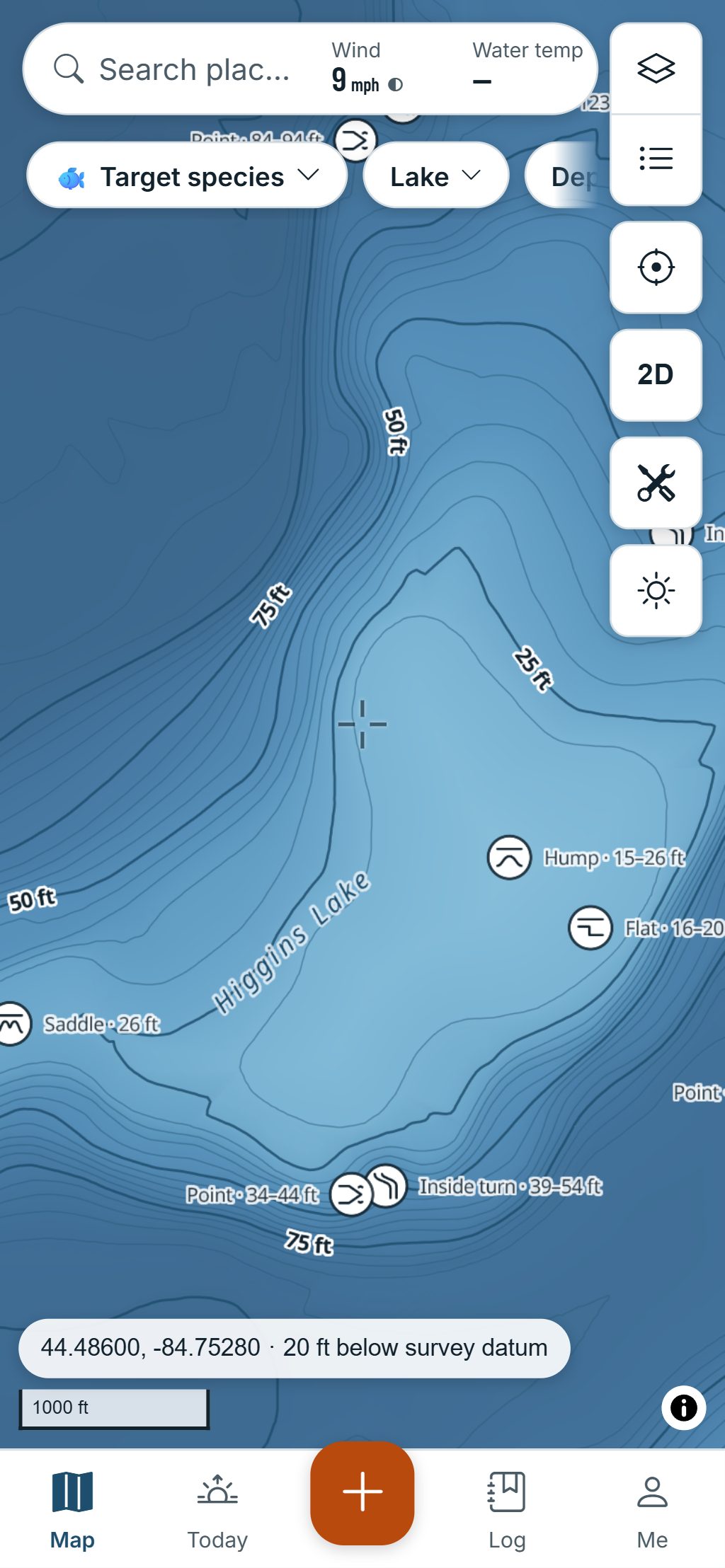
Lines in round feet (5, 10 or 25 ft as you zoom) or metres, labelled along the line, with heavier index lines.
The depth under your finger
Move the crosshair or the mouse and the readout gives the depth at that spot.
Source and date
The Water layers’ legend names each survey’s source and date, so you know how old the depth is.
Depth-range highlight
Pick a band, say 12 to 18 ft, and only that band lights up. Set your boat’s draft and water too shallow for it shows amber.
Today’s water level
Enter how far the lake is above or below its survey level and labels show both depths, like “10 ft charted · 5.8 ft today”.
Depth profile
Draw a line across the lake to see the bottom in cross-section, with its deepest and shallowest points and the slope.
A quality badge
Every depth source shows its survey year, method, contour interval and a grade from A to D.
Map data © OpenStreetMap contributors, © OpenMapTiles; terrain: Copernicus WorldDEM-30 (credits)
Structure Scout
Structure Scout finds the spots worth a cast
Structure Scout reads each surveyed lake’s depth and labels the features anglers look for, with their depth, like “Point · 18–32 ft”.
- Humps and sunken islands, and the saddles between them.
- Points, and inside and outside turns along the drop-offs.
- Flats beside deep water, and channel edges in reservoirs.
- Only the strongest few per square kilometre, so the map stays easy to read.
- Download a lake and its depth, contours and structure come with you offline.
Structure Scout is computed from depth data: check it on the water. Depth maps help you fish; they aren’t for navigation.
Questions
Still have a question? Read the HuntGrid Fishing help pages or email support@huntgrid.net.
Where does the depth data come from?
From lake depth surveys that government agencies publish as open data. The legend names each survey’s source and date. Lakes without a survey show no depth, so the map never guesses.
Can I see contours in feet?
Yes. Contours and depths follow your units: in feet you get lines every 5, 10 or 25 ft depending on the zoom, never odd steps like 3.3 ft; in metric you get metres.
What does Structure Scout find?
Humps, sunken islands, saddles, points, inside and outside turns, flats next to deep water and channel edges in reservoirs, each with its depth. It’s computed from the depth survey, so check it on the water.
Can I use the depth map for navigation?
No. Depth maps help you find fish, not steer a boat: surveys can be old and water levels change. Use official nautical charts and your own eyes to navigate.
Your next fishing trip starts on the map
Create a free account and open HuntGrid Fishing in your browser. The same account works for HuntGrid Hunt.
Already have an account? Sign in