 HuntGrid
Guide · 8 min read
Hunting without cell service
The best hunting is often where the signal ends. Your phone can still be a reliable GPS out there, as long as you prepare it at home: download your maps, protect the battery and tell someone where you are going.
Map data © OpenStreetMap contributors, © OpenMapTiles; terrain: Copernicus WorldDEM-30 (credits)
On this page
Your phone's GPS works without cell service
This surprises a lot of people, so it's worth saying plainly: the GPS chip in your phone listens to satellites, not cell towers. It finds your position with zero bars, in airplane mode on most phones, anywhere with a view of the sky. Two things change without signal:
- The first fix can be slower. With data, phones download hints that speed up the first lock. Offline, give it a minute in the open the first time, or open the map before you lose signal.
- The map doesn't load. The blue dot still works, but on a blank screen. Map tiles come from the internet unless you saved them ahead of time. That's the whole point of offline maps.
Accuracy is usually a few metres in the open and worse under thick canopy, in deep canyons or next to cliffs. Keep that in mind near property lines.
Download your maps before you leave
Pick the area
In HuntGrid, an offline area can be the map you're looking at, an area you drew, the ground around a stand, or a whole hunting unit or public land parcel. Take a margin around where you plan to walk, for the drive in and the unexpected.
Pick the layers
Topo and terrain come by default, with the overlays you have on, like public land and hunting units. Satellite imagery can be saved too, but it takes more space. The app shows the size of each layer before you download.
Download on Wi-Fi
Do it at home the night before, not at the trailhead with one bar. On iPhone, add HuntGrid to your Home Screen first, as the app suggests.
Test it
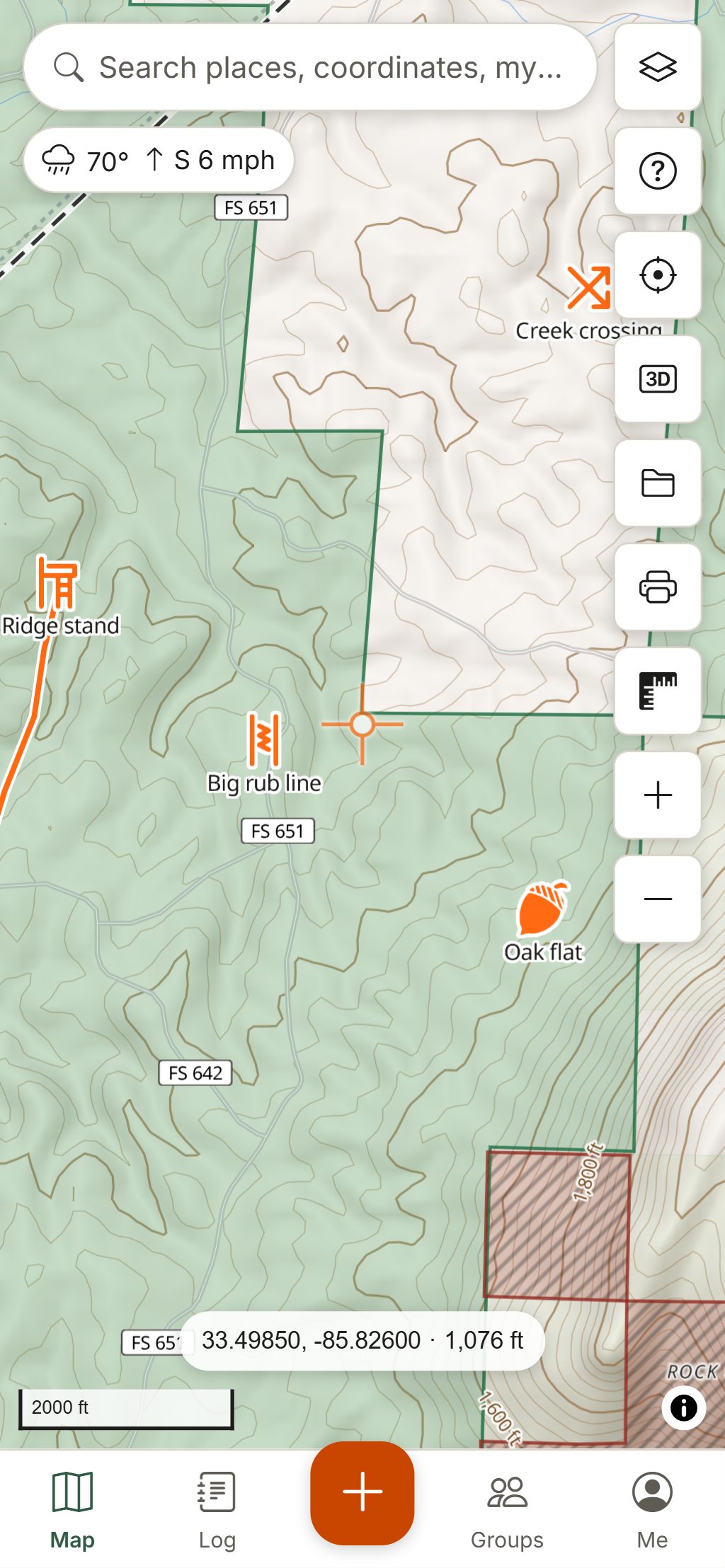
Put the phone in airplane mode and open the map. Your area should draw normally; outside it, HuntGrid hatches the map so a blank spot reads as "not saved", not "nothing here".
The free plan includes 3 offline areas, which covers most hunters' main spots. Everything you add in the field (pins, tracks, photos, sightings, harvests) saves on the phone and syncs to your other devices when you're back in range.
Make the battery last
A dead phone is a useless GPS. Most battery problems on a hunt come from three things: a phone hunting for a signal, a bright screen, and cold.
- Use airplane mode. A phone searching for a tower burns power fast. In airplane mode, location usually keeps working on most phones; check yours at home.
- Dim the screen. The screen is the biggest drain. Lower the brightness, and at night use a dark or red screen. HuntGrid's red night screen saves your night vision too.
- Keep it warm. Lithium batteries lose capacity in the cold, and a cold phone can shut down with charge left in it. Carry it in an inside pocket close to your body, not in an outer pocket or on the stand.
- Bring a power bank and a short cable, kept warm too. In the browser, HuntGrid records your track while it's open on screen, so a long walk with the screen on is a good reason to carry one.
- Close what you don't need. Other apps syncing photos or checking mail in the background waste battery for nothing.
Find your way back
Drop a pin at the truck before you walk in. HuntGrid's Back to truck points you to your latest truck or parking pin (or the start of your track) with the distance, the bearing and an arrow, and it works offline with GPS and a downloaded area. Go to works the same way for any stand or pin. Recording your track also lets you retrace your route in the dark.
Still carry a backup: a compass and a printed map. HuntGrid prints maps with a UTM, MGRS or latitude/longitude grid and a legend, which is worth having in your pack if the phone fails.
Tell someone where you are
Before every hunt, leave a plan with someone you trust: where you're going, where you'll park, who's with you and when you'll be back. Then stick to it, or tell them if it changes.
HuntGrid's hunt plan does this for you. You set the place, your back-by time and one to three contacts. If you don't tap "I'm back" in time (plus a grace period you choose), your contacts get an email with the plan and the last location HuntGrid received from you. Because the alert is sent from our server, it goes out even if your phone is in a dead zone. It isn't an emergency service, though: your contacts decide whether to call for help.
Hunting with friends? Group location sharing shows your camp where everyone is, only when each person turns it on, and only while there's signal to send it.
Carry a way to call for help
Where there's no cell service, a phone can't call 911. For hunts in remote country, we recommend carrying a dedicated device:
- A personal locator beacon (PLB) sends a distress signal with your position to search and rescue through satellites, with no subscription. It's one-way: it calls for help, nothing else.
- A satellite messenger lets you send an SOS and usually two-way text messages from anywhere with a view of the sky, typically with a subscription.
- Some newer phones can send emergency messages by satellite in some countries. Check whether yours does, and how it works, before you count on it.
Whatever you carry, register it, learn how it works and keep it charged. Pair it with the basics: a headlamp, warm layers, fire starter, water and a first-aid kit. The best offline map is the one you never need for an emergency.
Questions
Still have a question? Read the help pages or email support@huntgrid.net.
Does my phone GPS work without cell service?
Yes. GPS uses satellites, not cell towers, so it works with no bars and in airplane mode on most phones. The first fix can take longer offline, and the map only shows if you downloaded it beforehand.
How do I use hunting maps offline?
Download the area you hunt while you have Wi-Fi, then test it in airplane mode. In HuntGrid you can save the current view, a drawn area, the ground around a stand, or a whole hunting unit or public land parcel.
Does airplane mode save battery while hunting?
Yes. A phone searching for a signal drains its battery quickly. In airplane mode, location keeps working on most phones, so you keep your GPS and save power.
Why does my phone die in the cold?
Lithium batteries deliver less power when they are cold, and phones can shut down with charge left. Keep the phone in an inside pocket and carry a warm power bank.
Do I need a satellite messenger for hunting?
Where there is no cell service, a phone cannot call for help. For remote hunts, a personal locator beacon or a satellite messenger is a sensible safety device, along with leaving a hunt plan with someone you trust.
Your next hunt starts on the map
Create a free account, download your area and head out. No credit card, no per-state fees.
Already have an account? Sign in