 HuntGrid
Walleye and sauger
The walleye fishing app for your secret spots
Walleye feed when the light is low and follow structure most of the year. HuntGrid Fishing helps you tell a walleye from a sauger, keeps your spots and catches private, and logs every fish in three taps, on your phone and your computer.
Map data © OpenStreetMap contributors, © OpenMapTiles; terrain: Copernicus WorldDEM-30 (credits)
Know the walleye
A few habits shape how walleye are fished.
Built for low light
A reflective layer at the back of the eye gathers light and gives walleye their glassy look. Many anglers fish dawn, dusk, night and dark, windy or stained-water days.
A fish of edges
Walleye roam lakes, reservoirs and big rivers in loose schools and follow edges: points, rocky reefs, weed lines, mud flats and drop-offs into deeper water.
An early spawner
Walleye spawn in early spring, soon after the ice goes out, over gravel and rock in rivers and on wind-swept shoals. As the water warms they spread out, often deeper.
Many names, one fish
Called pickerel or yellow pickerel in parts of Canada and doré in Quebec, it’s the same fish, Sander vitreus, a large cousin of the yellow perch.
Map data © OpenStreetMap contributors, © OpenMapTiles; terrain: Copernicus WorldDEM-30 (credits)
Species guide
Walleye or sauger? The guide shows you
The species guide in HuntGrid Fishing works with no signal. Each species has its own page (open this species in the app):
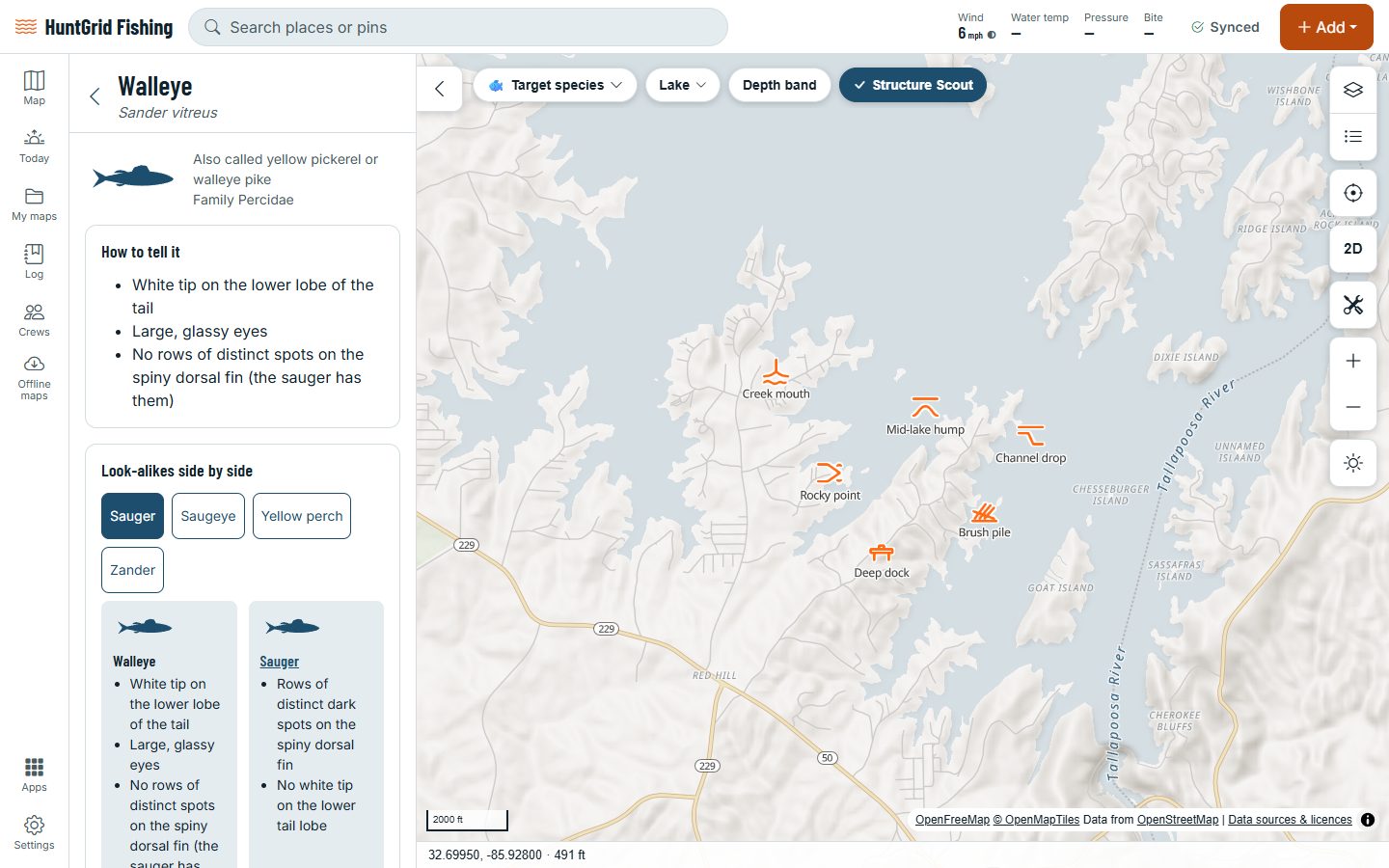
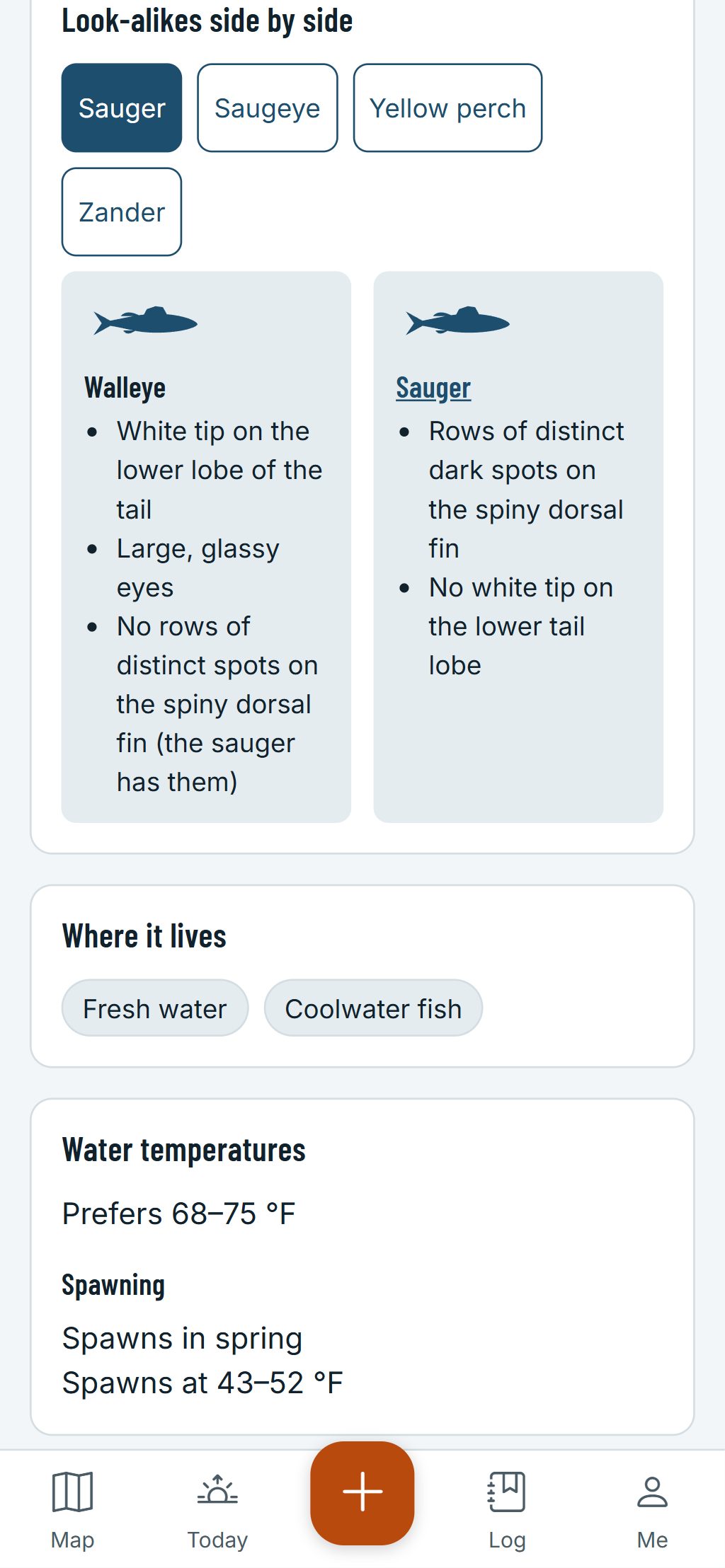
- The marks that tell it apart: a white tip on the lower lobe of the tail, and no rows of distinct spots on the spiny dorsal fin.
- Its look-alikes side by side: the sauger, and the yellow perch.
- Its habitat, the techniques that catch it, and the water temperatures it prefers with their source.
- A question key: answer a few questions about the fish in your hand and it narrows down the candidates.
- Waters near you where agency surveys or stocking records show the species, with the year.
Walleye seasons and size and daily limits vary from one water to the next. HuntGrid never guesses them: the official regulations always have the final word.
How walleye anglers use HuntGrid Fishing
Spots with their details
Mark reefs, points and weed edges with fishing icons, with the depth, the bottom, the cover and the winds and months each one fishes best. Filter your spots by species.
Log a walleye in three taps
Tap +, Catch, Walleye: the place and time are saved, even with no signal. Add a length and the app estimates the weight, marked “est.”
Rigs and knots, offline
The how-to library shows the slip float rig, the walking sinker rig and the knots to tie them, step by step, with no signal.
Depth maps
Depth shading and contours from agency lake surveys show the drop-offs, reefs and flats walleye follow.
Structure Scout
Humps, saddles, points and flats are labelled with their depth: a short list of places to try first.
Bite forecast
Today scores the bite on your favourite waters and shows the best windows, with the reasons behind each score.
Walleye as your target
Pick walleye as your target species and the bite forecast, the depth band and the fishing rules follow it.
What’s active at this temperature
Enter the water temperature and see where walleye stand, from feeding to pre-spawn, with the source.
Trolling speed
Fish Mode shows your speed over the ground and a trolling speed bar that sounds when you leave your range.
Walleye through the ice
Ice Mode numbers your holes with the depth under each and times your tip-ups.
Can I keep it?
Fish Check gives the rules for a walleye of that length at that water today, with the official source.
Personal bests
Your longest and heaviest walleye, and the day you caught your first.
Offline lakes and rivers
Download a lake or a stretch of river in one tap: its map and your spots work with zero bars.
Questions
Still have a question? Read the HuntGrid Fishing help pages or email support@huntgrid.net.
What is the best app for walleye fishing?
The one that fits how you fish. HuntGrid Fishing keeps your walleye spots private, logs a catch in three taps and carries a species guide and a how-to library that work offline. It’s free, so try it on your own water before you decide.
How do I tell a walleye from a sauger?
Look at the tail and the first dorsal fin. A walleye has a white tip on the lower lobe of its tail and no rows of distinct spots on the spiny dorsal; a sauger has those rows of spots and no white tip. The species guide shows both side by side.
When do walleye bite best?
Walleye see well in dim light, so low-light hours are a good bet: dawn, dusk, night, and cloudy, windy or stained-water days. Patterns change with the water and the season, which is why your own catch log is worth keeping.
Does HuntGrid Fishing show walleye limits and seasons?
Fish Check gives the rules for walleye at a water on a date, with the official source. Rules a person hasn’t checked yet are labelled as not verified. The official regulations always have the final word.
Your next fishing trip starts on the map
Create a free account and open HuntGrid Fishing in your browser. The same account works for HuntGrid Hunt.
Already have an account? Sign in