 HuntGrid
Your log
Catch log, tackle box and personal bests
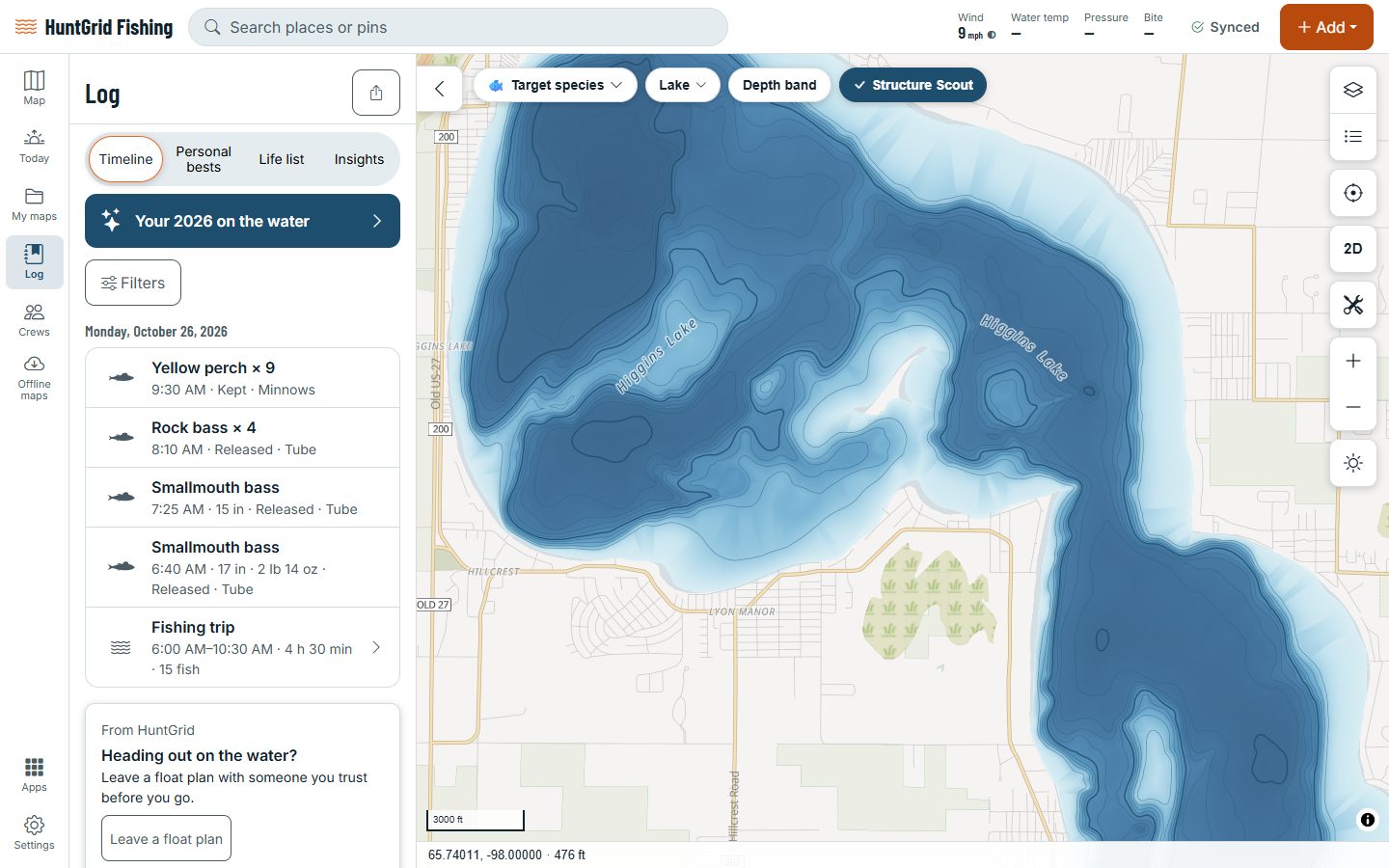
Log a catch in three taps: (+), Catch, then the species. The time and the place fill in on their own, offline too. Your log keeps every catch and trip, your personal bests and your life list, and your tackle box shows which lures are working.
Map data © OpenStreetMap contributors, © OpenMapTiles; terrain: Copernicus WorldDEM-30 (credits)
Every fish, kept for you
Your catches are private: nobody sees where you caught a fish unless you share it.
Three taps
Your recent species come first, so most catches are (+), Catch and one tap on the fish. Undo is right there.
Catches and trips
The Log lists your catches and trips, with filters for species, water, date, kept or released, and lure.
Personal bests
Your biggest fish of each species, by length and by weight, and a “New PB!” moment when you beat one.
Life list
Every species you’ve caught, with the date of your first.
Trips with a timeline
Start a trip, fish, end it: the catches line up on the trip’s timeline, even offline.
The full story
Photos, length with an estimated weight labelled “est.”, technique, depth and more, only when you want them.
Conditions saved for you
Water temperature, tide, flow, moon and pressure trend are saved with each catch, with their sources.
Fish on!
In Fish Mode one tap marks the catch the moment it bites; add the species later.
Can I keep it?
Enter the length and the catch form checks the size and bag limits for that water, with the official source.
Map data © OpenStreetMap contributors, © OpenMapTiles; terrain: Copernicus WorldDEM-30 (credits)
Tackle box
Find out what’s working
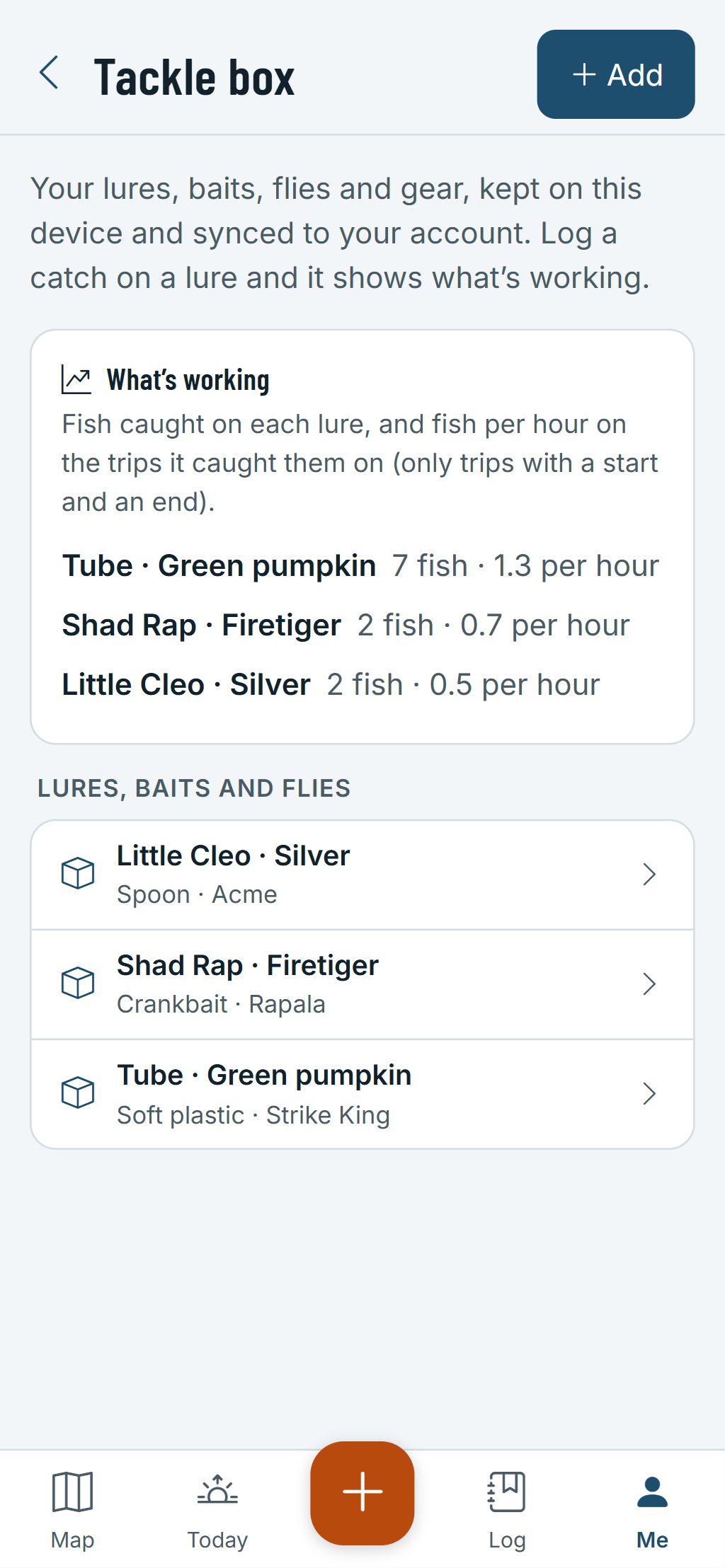
Keep your lures, baits and flies in the tackle box (Me → Tackle box) and pick them right in the catch form.
- Each item has its kind, a photo and how many you have. Flag the ones you’ve lost.
- Save rig presets you use often.
- Your recent and favourite lures come first in the catch form.
- What’s working: catches and fish per hour for each lure, once you’ve logged some.
- Charts of your catches by species, month, water and lure, and your best time of day.
- Export your catches as a spreadsheet with every field.
Your log syncs to every device you sign in to. Export your data or delete your account at any time.
Questions
Still have a question? Read the HuntGrid Fishing help pages or email support@huntgrid.net.
Can other anglers see where I caught my fish?
No. Your catches, spots and trips are private: nobody sees where you fish unless you share it. We never sell location data, spots or catches.
Can I log a catch with no signal?
Yes. Catches and trips save on your phone and sync when you’re back in range.
Do personal bests follow my units?
Yes. Lengths and weights are stored exactly and shown in your units, so switching between inches and centimetres never changes a fish.
Your next fishing trip starts on the map
Create a free account and open HuntGrid Fishing in your browser. The same account works for HuntGrid Hunt.
Already have an account? Sign in