 HuntGrid
Trail cameras and hunt log
Trail camera app and hunting log
Log sightings and harvests in a few taps, import photos from any trail camera brand, and let the weather and moon fill themselves in, so your own records start showing when and where game moves.
Map data © OpenStreetMap contributors, © OpenMapTiles; terrain: Copernicus WorldDEM-30 (credits)
Trail cameras, from SD card to patterns
Cameras on the map
Each camera with the way it faces, its battery, when you last checked it and whether it’s cellular.
Import from any brand
Pick the folder from the SD card, or the photos you saved. HuntGrid reads the photo times, fixes a camera clock that runs fast or slow, groups bursts and skips duplicates, then uploads in the background.
Tag fast
A photo grid with keys 1 to 9 for species, B for a buck and E for empty, plus buttons for touch. Name the animals you follow and see when each one was first and last seen.
Weather on every photo
The temperature and wind for the hour each photo was taken, from a weather archive, without a weather station on the tree.
Activity patterns
An hour-by-weekday heatmap, and visits by moon phase, temperature, wind direction and pressure trend, for each camera and species.
A hunting log that fills itself in
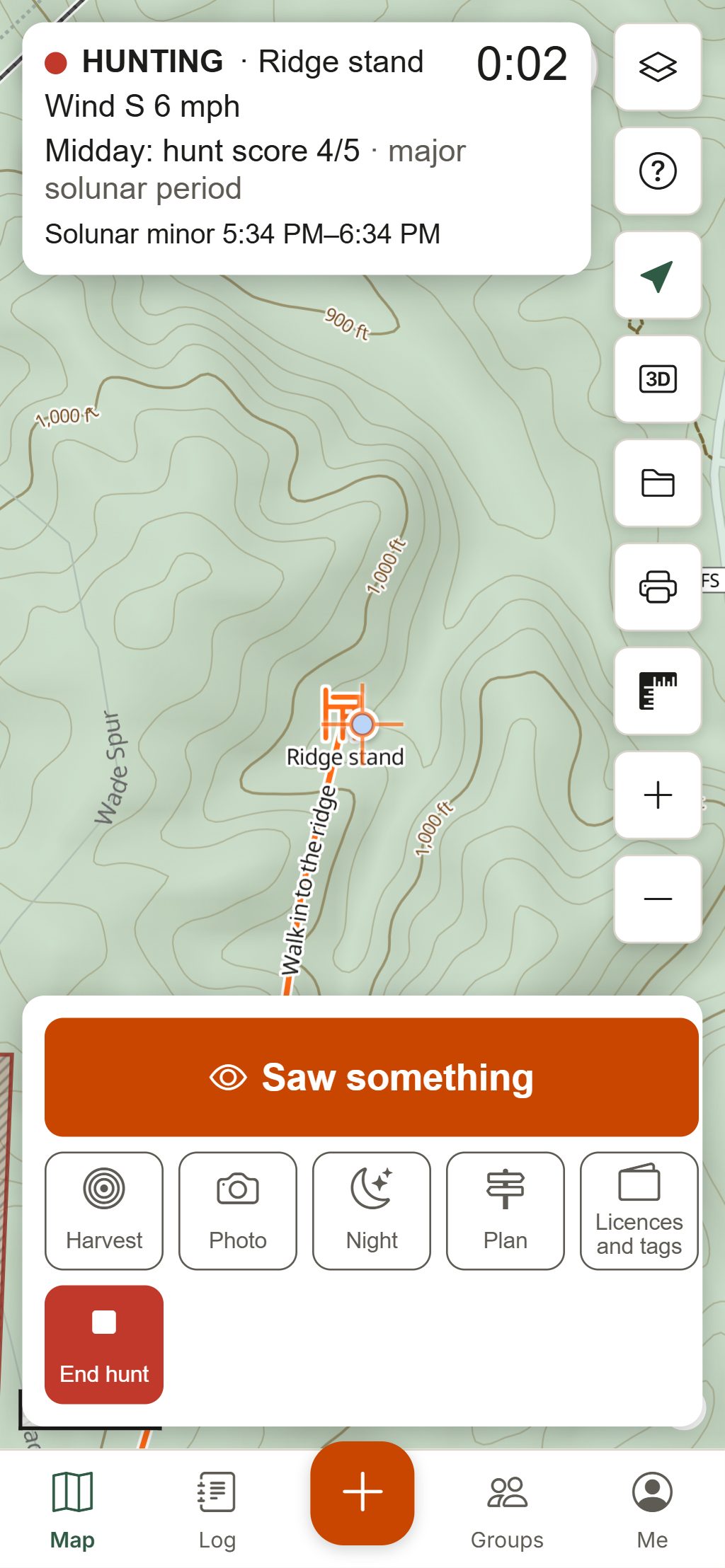
Every entry records the weather, moon and solunar period at that moment, even with no signal, and is refined later with observed weather.
Sightings in three taps
Species, count, bucks and does, behaviour and direction of travel, with photos and voice notes if you like.
Harvests and recovery
Weapon, shot distance from your stand, weight and trophy measurements, and the blood trail drawn on the map with its length.
Hunts and tracks
Start a hunt and your sightings, harvests and track link to it, with the conditions at the start and end. Log past hunts by hand.
Insights and recap
When animals move by hour and month, each stand’s success rate, a sighting heatmap, and a season recap image with no maps or locations on it.
How to use it
From camera card to a better sit
Add the camera
Place it on the map where it hangs and set which way it faces.
Import the card
On the camera, choose Import photos and pick the folder. Fix the clock offset if the camera’s time was off.
Tag the visits
Run through the grid with the number keys, mark empty frames and name the deer you’re after.
Read the pattern
Open Activity to see when that animal shows up and in which wind, then plan the sit with the scent cone.
Your cameras, photos and log are private to you unless you save them into a group. Harvests, hunts and tracks always stay in your own journal, and shared photos have their GPS removed. Photos and voice notes count toward your plan’s storage: 100 MB on the free plan.
Questions
Still have a question? Read the help pages or email support@huntgrid.net.
Does HuntGrid work with my trail camera brand?
It works with the photos, whatever the brand: import them from the SD card folder or from photos you saved from a cellular camera’s app. HuntGrid reads the time from each photo and lets you correct a camera clock that was off.
How many trail camera photos can I store for free?
The free plan includes 100 MB for photos and voice notes. Photos are usually resized before upload to save space. Plans with more storage are planned for later.
What should I record in a hunting log?
At least the date, place, species seen, how many, what they were doing and which way they went. HuntGrid adds the weather, wind, pressure trend, moon and solunar period for you, so patterns show up over a season.
Can I log a sighting with no cell service?
Yes. Sightings, harvests, hunts and tracks save on your phone first, with the weather from the last saved forecast, and sync when you’re back in range.
Is my hunting log private?
Yes. It’s yours unless you choose to save things into a group. Harvests, hunts and tracks always stay personal, the season recap image has no maps or locations, and we don’t sell location data.
Your next hunt starts on the map
Create a free account, download your area and head out. No credit card, no per-state fees.
Already have an account? Sign in