 HuntGrid
Hunting units and zones
Hunting unit maps: GMU, WMU and zone boundaries
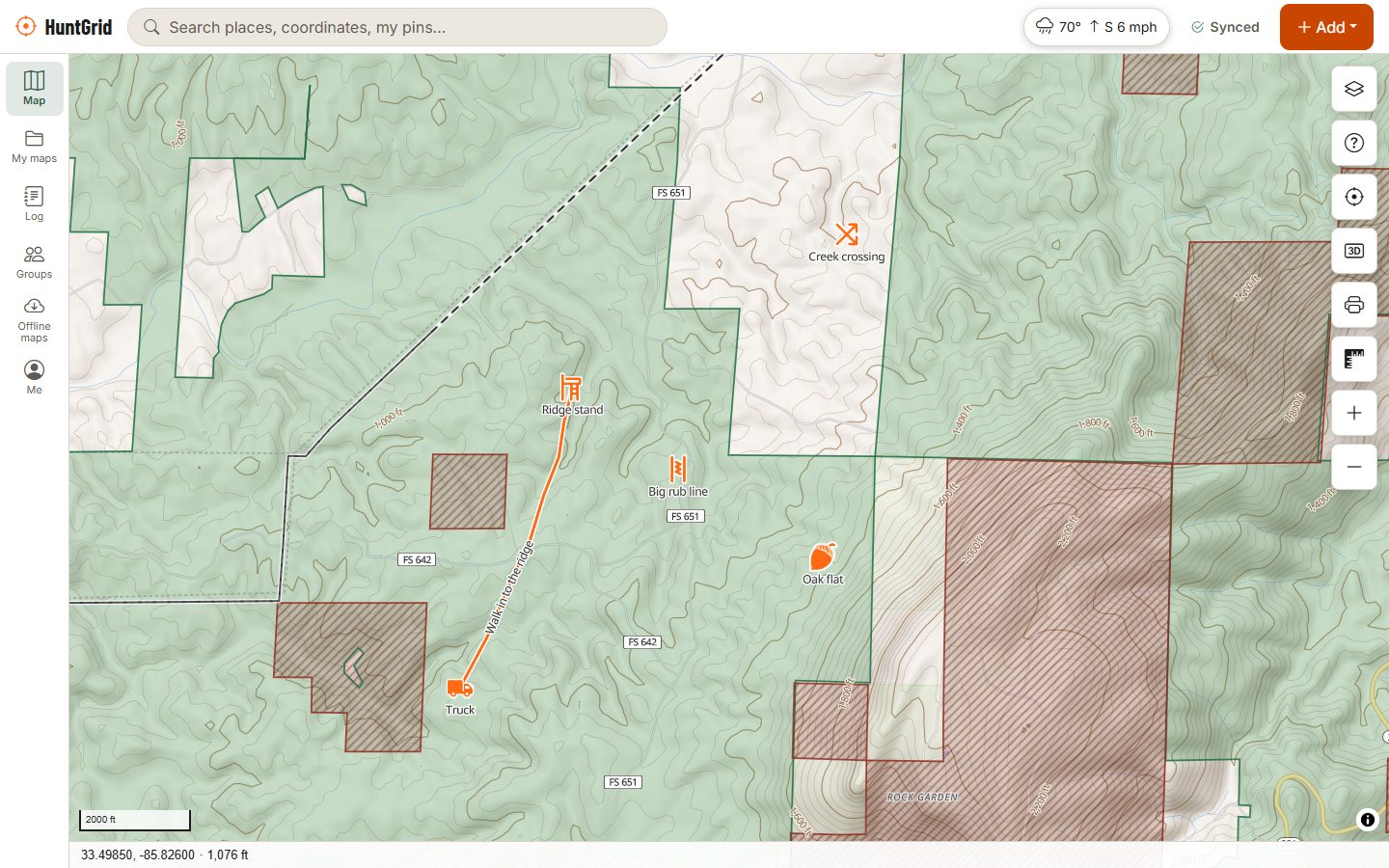
Game management units, wildlife management units, deer management units, hunt areas and zones, drawn and labelled on the same GPS map as public land and your pins, so you always know which unit you’re standing in.
Map data © OpenStreetMap contributors, © OpenMapTiles; terrain: Copernicus WorldDEM-30 (credits)
Every unit name, one map
Agencies call them different things: Idaho’s game management units, Wyoming’s hunt areas, Montana’s hunting districts, Pennsylvania’s WMUs, wildlife management units in Ontario and Alberta. HuntGrid puts them all in one hunting units layer.
Boundaries and labels
Unit lines and numbers for most US states and Canadian provinces, often with several layers per state: big game units next to turkey, waterfowl or special-hunt zones.
The unit you’re in
Tap the map or your blue dot and the What’s here card lists the units at that spot along with the land status.
A whole unit offline
“Save for offline” on a unit downloads its full outline as an offline area, named after the unit, with the layers you choose.
Seasons that follow the lines
Where season dates have been checked, the seasons card counts a unit-only season only inside that unit, and says “check you are in it” when the unit map isn’t loaded. About seasons.
How to use it
Scout a unit from home, hunt it offline
Turn on hunting units
Open Layers and switch on hunting units. Zoom in and the unit numbers appear along with their lines.
Add land and terrain
Layer “Can I hunt here?” and terrain on top to find the public pockets inside the unit. Terrain and topo.
Mark what you find
Drop stands, saddles, food sources and parking as waypoints, and draw the boundary you plan to hunt.
Save the unit for offline
Tap inside the unit and choose “Save for offline”. In the field, your GPS shows which side of the line you’re on with no signal.
Where the lines come from
When a wildlife agency publishes its unit map as open data, HuntGrid uses it. When it doesn’t, the boundary is rebuilt from public-domain roads, rivers and county lines, following the regulation’s own written description.
Lines are a guide
Along a road or river that forms a boundary, the legal description in the regulations decides, not a line on a screen.
Coverage keeps growing
Most states and provinces are on the map, and a few are still being built. See what your state or province has.
Seen a wrong line?
“Report a problem” on the What’s here card sends it to us with the spot, and we check it against the official map.
HuntGrid is a guide, not the law: the official hunting regulations of your state or province always have the final word.
Questions
Still have a question? Read the help pages or email support@huntgrid.net.
What is a GMU or WMU in hunting?
A game management unit (GMU) or wildlife management unit (WMU) is an area a wildlife agency uses to set seasons, tags and quotas. States and provinces use different names, such as hunt areas, hunting districts, deer management units or zones, but they work the same way: your licence or tag is often valid only in certain units.
How do I know which hunting unit I’m in?
Turn on the hunting units layer and your location in HuntGrid, then tap your blue dot: the card lists the units at that spot. With the unit saved offline, it works with no cell signal.
Can I download a hunting unit map for offline use?
Yes. Tap inside the unit, choose “Save for offline”, and HuntGrid downloads the unit’s full outline as an offline area with the layers you pick. The free plan includes 3 offline areas.
Are hunting unit boundaries on the app exact?
They come from the agency’s own data where it’s published, or are rebuilt from public roads and rivers following the regulation text. Use them as a guide; near a boundary, the legal description in the regulations decides.
Does HuntGrid have the hunting units for my state or province?
Most US states and most Canadian provinces and territories have unit layers in HuntGrid, and the rest are being added. The hunting maps by state and province show what each one has.
Your next hunt starts on the map
Create a free account, download your area and head out. No credit card, no per-state fees.
Already have an account? Sign in