 HuntGrid
Sail Mode
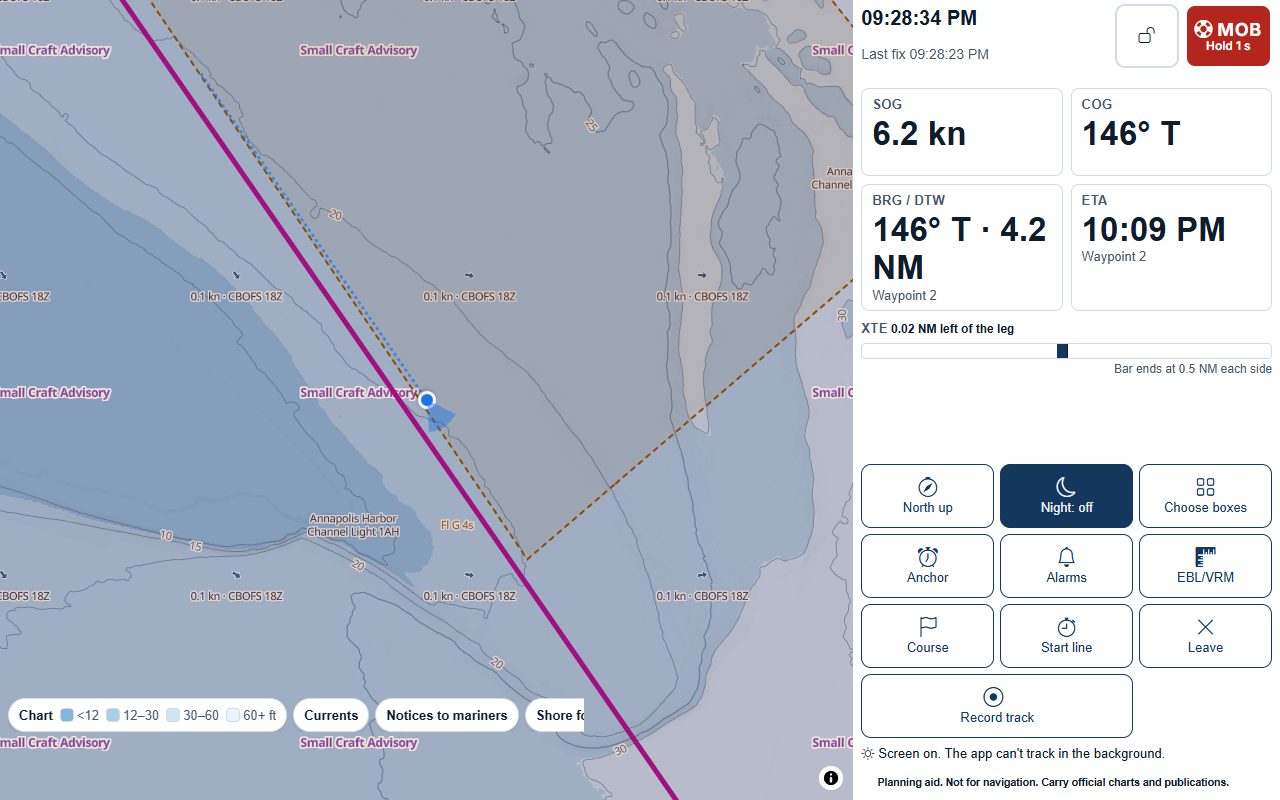
Sail Mode underway, and an anchor watch your crew can see
Sail Mode is one full-screen map with large boxes for speed and course over ground, bearing and distance to the next waypoint, arrival time at your current speed and cross-track error. Every button is at least 64 pixels, the screen stays on, and the man-overboard button is always there.
Map data © OpenStreetMap contributors, © OpenMapTiles; terrain: Copernicus WorldDEM-30 (credits)
Underway
North-up or course-up
Course-up follows your course over ground, smoothed over a window you set. Night style dims the map and the screen.
Touch lock
One tap locks the screen against spray; a long press on the marked control unlocks it. Man overboard and the anchor alarm work while it’s locked.
Alarms you set
Sound and vibration when the GPS fix is lost or worse than your setting, when cross-track error passes your limit, and on arrival near the next waypoint. One the browser can’t do says “not available on this device”.
Man overboard
One press marks the position and time, then shows the bearing and distance back and the time elapsed. The app calls nobody, and says so: call the Coast Guard on VHF channel 16 or use DSC.
Track and logbook
Record your track with its gaps shown as gaps, never filled in. The logbook keeps entries by passage and day, and adds departure, hourly and arrival entries marked “auto” that you can edit.
Map data © OpenStreetMap contributors, © OpenMapTiles; terrain: Copernicus WorldDEM-30 (credits)
At anchor
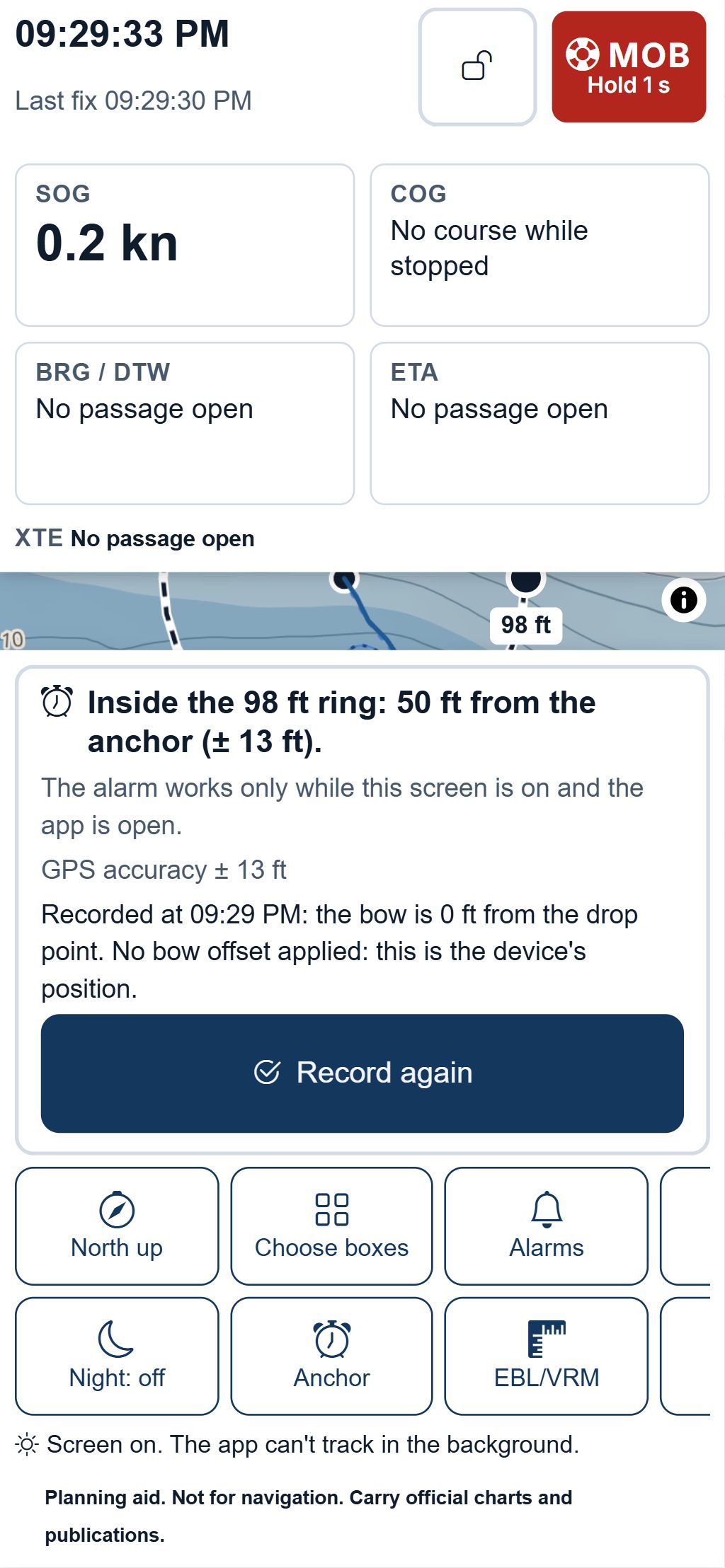
An anchor watch your crew can follow
Set the anchor, drag the alarm ring to the radius you want, and the watch sounds when the boat leaves it. The screen shows your track since the anchor was set and the GPS accuracy.
- A swing-radius helper from your scope, the depth at the highest predicted water of your stay and your boat’s length, with the charted hazards inside the circle listed.
- Share the watch with your group: crew ashore see the ring and the boat and get the drag alert. If the boat’s phone stops reporting, they get a “watch stopped” alert.
- Use an old phone or tablet on a charger as the watch device, with a dimmed screen and a battery warning where the browser reports battery level.
- The alarm works only while the watch screen is on and the app is open, and the app says so.
A planning aid, not for navigation. Carry official charts and Notices to Mariners, and check each fact against its source.
Questions
Still have a question? Read the HuntGrid Sailing help pages or email support@huntgrid.net.
Does the anchor alarm work with the screen off?
No. A web app can only watch while its screen is on and the app is open. Use a second device on a charger as the watch, and share it so your crew get an alert if it stops reporting.
Is it free?
Yes. Everything on this page is in the free plan, with no credit card. HuntGrid Sailing is in open beta, and there are no ads.
Plan your next passage on the map
Create a free account and open HuntGrid Sailing in your browser. The same account works for every HuntGrid app.
Already have an account? Sign in