 HuntGrid
The Log
A climbing log, with sends your partner can confirm
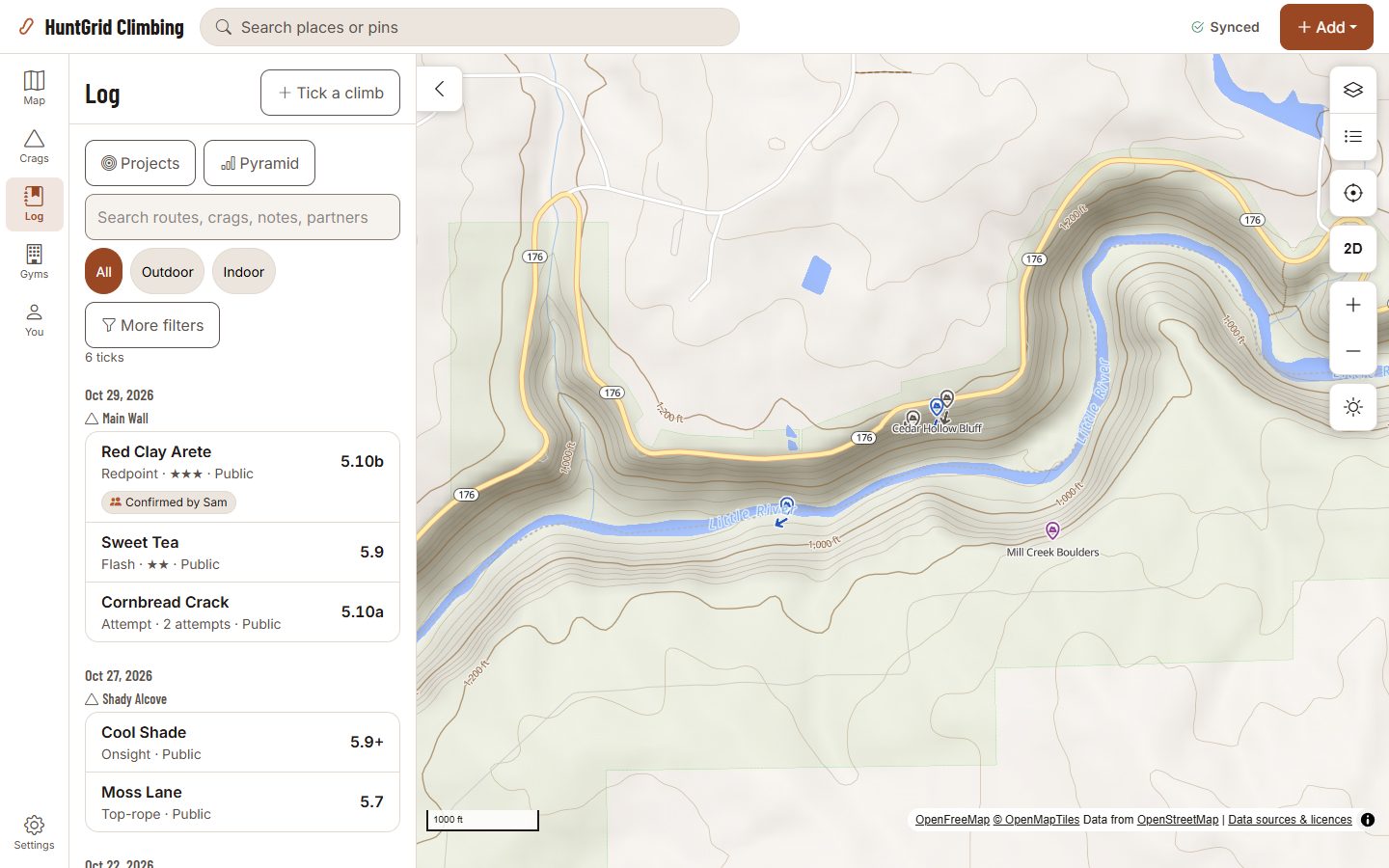
Tick a route or a boulder in two taps from the crag sheet, with the style, partners and a note. Indoor and outdoor climbs are one log. Each tick is private unless you share it, and your partner can confirm a send.
Map data © OpenStreetMap contributors, © OpenMapTiles; terrain: Copernicus WorldDEM-30 (credits)
Your climbs, your way
Two taps to tick
Tick, then Save. Onsight, flash, redpoint, top-rope, follow, send or attempt, with partners, stars and a note. Ticks made offline sync later.
Private by default
Only you see a tick unless you share it with your group or make it public.
Confirmed by your partner
Ask a partner who uses HuntGrid to confirm a send. They choose Confirm or Not me; nothing is confirmed automatically.
Phone at the crag
An optional check that keeps only whether your phone was at the crag that day, never where you were.
Video
Add a video to a public tick, and other climbers can vouch for it.
Gym verified
At a gym that uses HuntGrid, staff can verify a send at the desk.
Pyramid and grade history
Sends by grade, stacked by style, and your hardest send each month, indoors, outdoors or both.
Projects
Your attempts on a project, when you last tried and the conditions on those days.
Grade opinions
Give your opinion of a grade; the route shows the community’s consensus beside the original grade.
Bring your own log
Import the ticks you exported as a CSV file from your own account in another logbook. They come in as private ticks, with a preview first and one-tap undo.
Map data © OpenStreetMap contributors, © OpenMapTiles; terrain: Copernicus WorldDEM-30 (credits)
Badges
A badge says what happened, nothing more
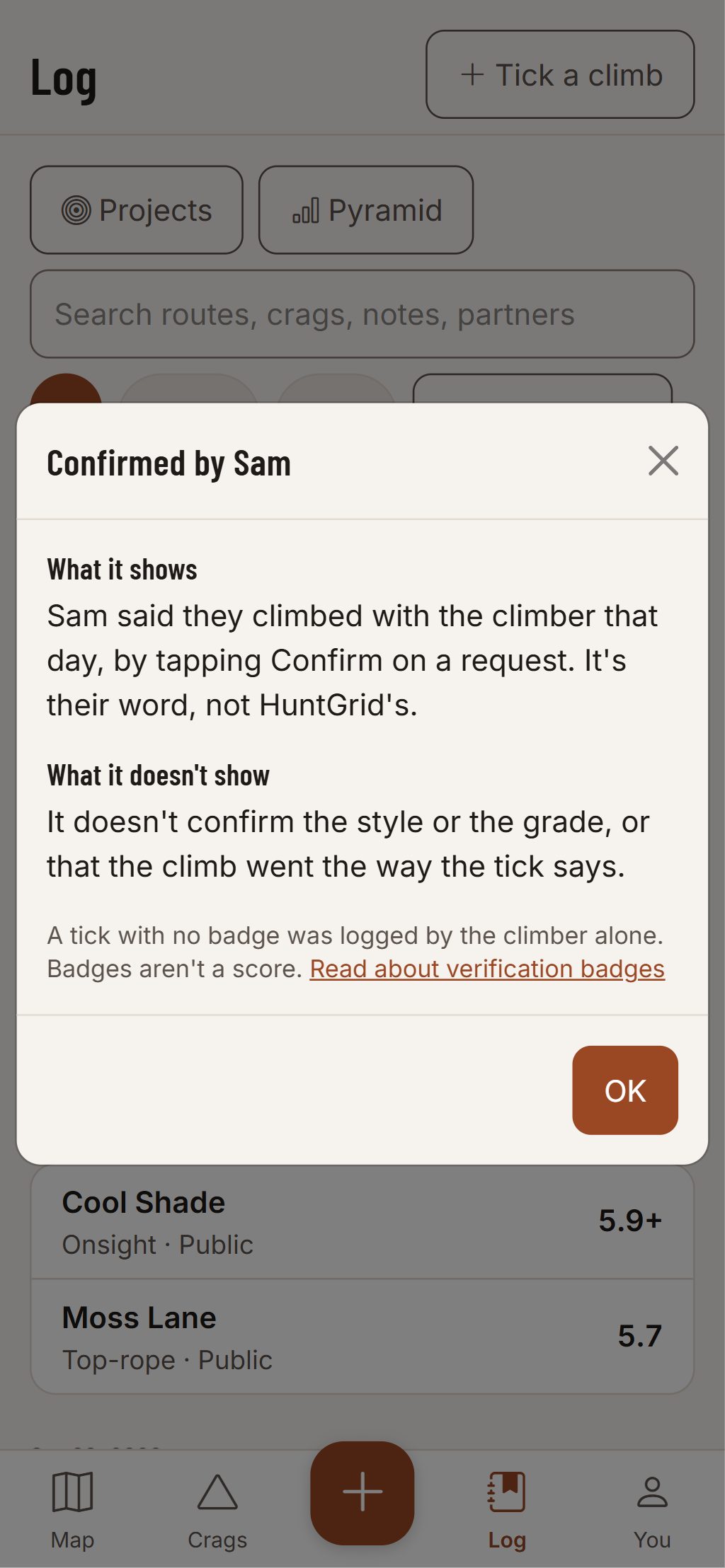
Tap a badge to read exactly what it means and what it doesn’t. “Confirmed by Sam” means Sam confirmed you climbed it that day. It says nothing about the grade or the style.
- No badge means the tick is self-logged, and that’s fine.
- Your partner gets a notification and answers Confirm or Not me.
Climbing can kill. Route information comes from other climbers and public sources and can be wrong. Check the rock, gear and anchors yourself.
Questions
Still have a question? Read the HuntGrid Climbing help pages or email support@huntgrid.net.
Who can see my ticks?
Only you, unless you share a tick with your group or make it public. Gyms see only totals and the ticks climbers made public.
Does a confirmed send mean the grade is right?
No. A badge says only what happened, such as who confirmed the send. Grades are approximate and come from the community or the source.
Is it free?
Yes. Everything on this page is in the free plan, with no credit card. HuntGrid Climbing is in open beta, and there are no ads.
Your next crag day starts on the map
Create a free account and open HuntGrid Climbing in your browser. The same account works for every HuntGrid app.
Already have an account? Sign in