 HuntGrid
Routing
Routing on official routes, turn by turn and offline
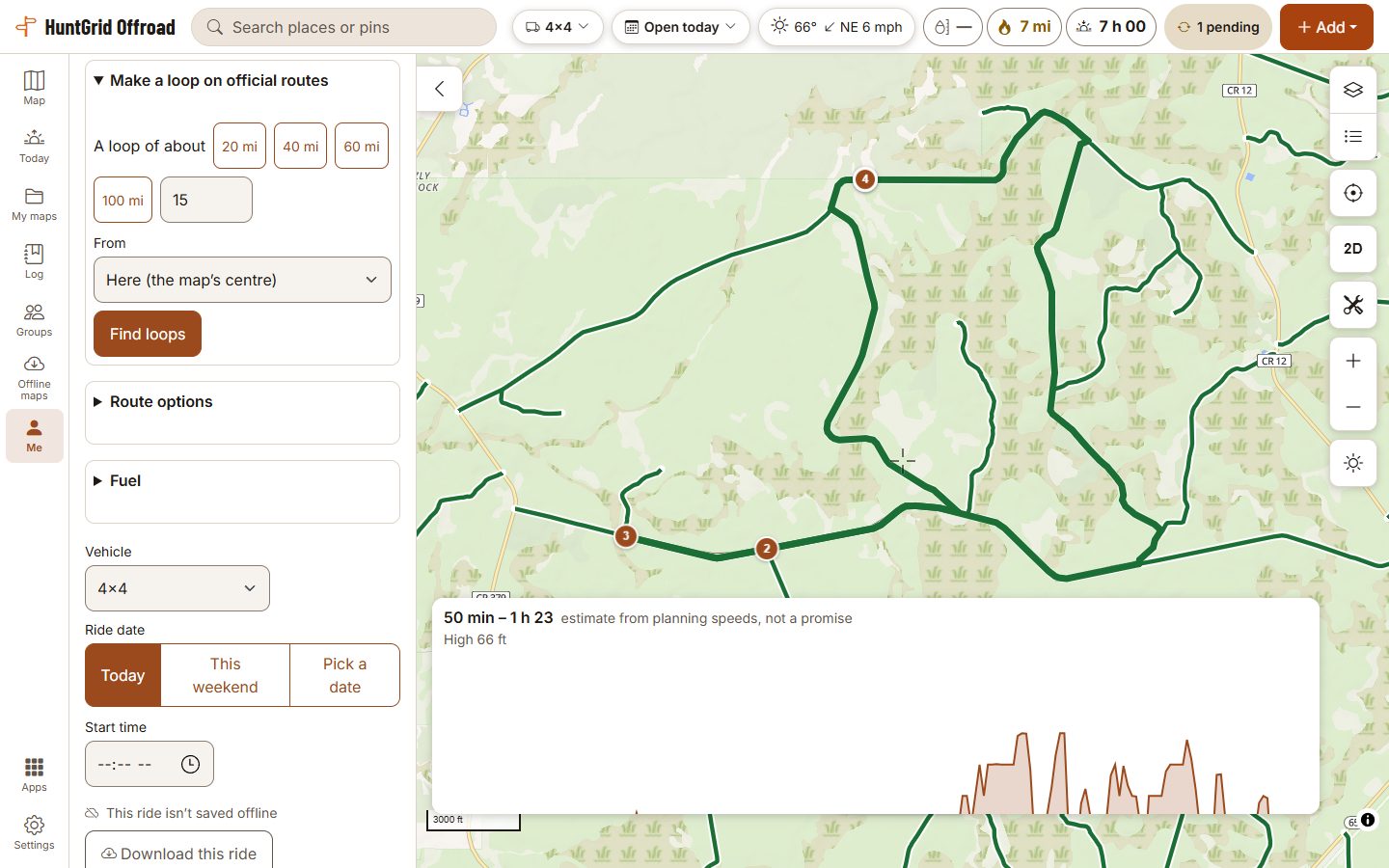
Tap a start and a finish, or ask for a loop, and the route is worked out on your phone for the machine you picked and the day you ride, from the routes whose official sources open them to it. When it can’t find one, it says why instead of sending you down roads no source rules on.
Map data © OpenStreetMap contributors, © OpenMapTiles; terrain: Copernicus WorldDEM-30 (credits)
Plan the ride
Only routes open to your machine
The router uses the routes open to your machine, with its width, on the ride date. Roads with unknown rules are left out unless you allow them, and then the plan counts how far it uses them.
Loops from here
Ask for a loop of about the length you want from the map’s centre, your truck or your plan’s first point, and choose one of the three it finds.
Time, climb and fuel
An elevation profile, a time range from planning speeds (an estimate, not a promise), a check against sunset, and fuel along the way from your tank size.
Checked for the ride date
Change the date and the plan is checked again: a trail out of season or under a closure that day is flagged with its dates, and Reroute finds another way.
GPX in and out
Check a GPX someone sent you against the official routes for your machine, and export your plans as GPX or KML.
Download this ride
Save the map along your plan and the routing data with it, so you can follow it and reroute with no signal.
Map data © OpenStreetMap contributors, © OpenMapTiles; terrain: Copernicus WorldDEM-30 (credits)
On the trail
Turn by turn, out loud
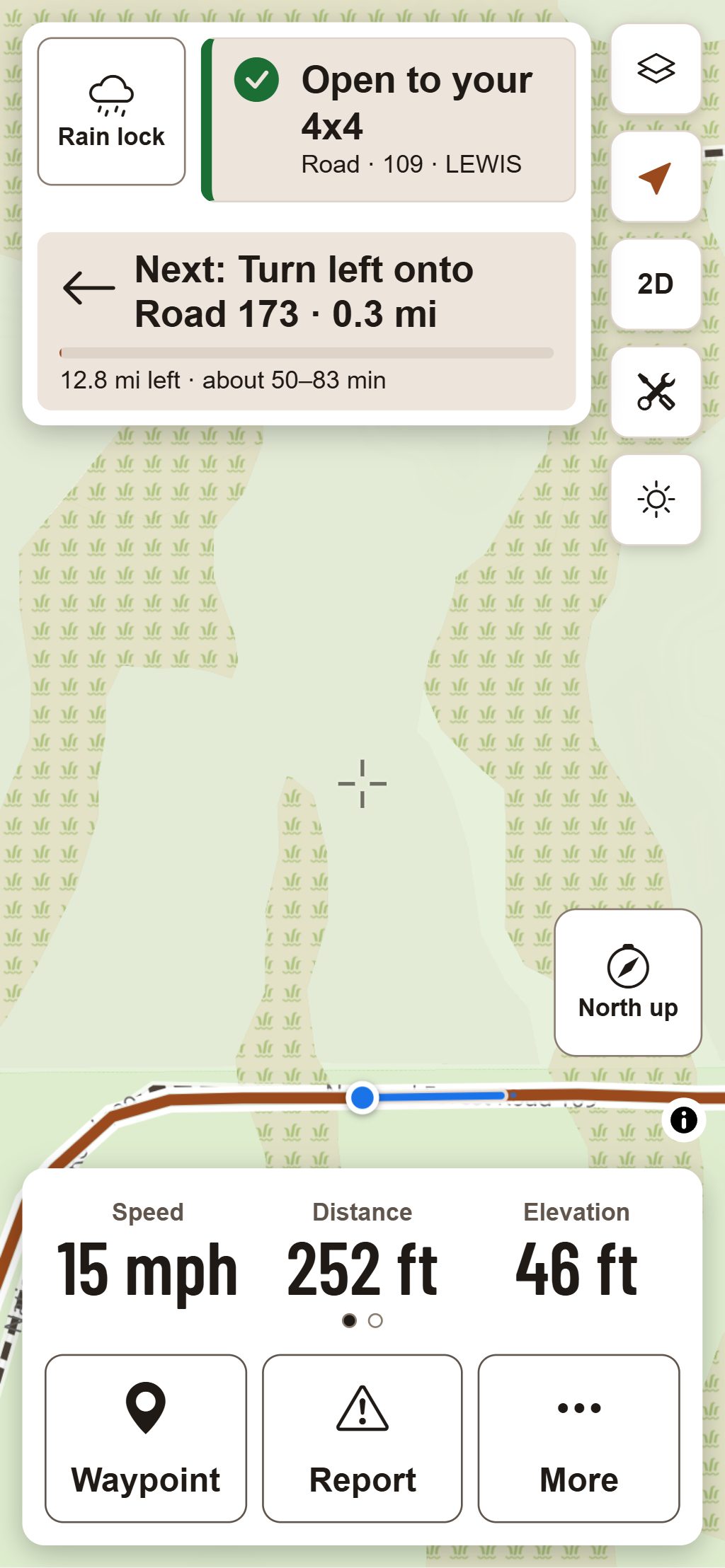
Start a ride and pick “Follow a plan”: Ride Mode shows the next turn and how far it is, and speaks it in English or French with a voice on your phone.
- Cues name the route you turn onto, the way signs and maps do: “In 300 metres, turn right onto Trail 412”.
- Off the plan, Ride Mode offers to lead you back or to reroute from where you are, on the phone, with no signal needed.
- A water crossing ahead is announced with its depth unknown, never as passable.
- A public road joins two trails only where a law we cite lets your machine use it; otherwise the plan says road use isn’t confirmed.
A route is what official data says for your machine on that date, not a promise: conditions change and data can be out of date. Official maps and posted signs control.
Questions
Still have a question? Read the HuntGrid Offroad help pages or email support@huntgrid.net.
Why did it refuse to route?
Because no way it knows is open to your machine that day. It says why: a closure until a date, a trail too narrow for your machine, a gap only roads with unknown rules would fill, or a place outside the routes it has. It never quietly uses a closed route to finish the line.
Does routing work with no signal?
Yes, where you saved the area or downloaded the ride: the routing data is saved with the map and the route is worked out on your phone. Voice cues use a voice installed on your phone.
Where does routing work?
Where official route data is loaded for your machine. The map can show where the routing data is dense and where it’s thin, so you know before you plan.
Is it free?
Yes. Everything on this page is in the free plan, with no credit card. HuntGrid Offroad is in open beta, and there are never ads on the map or in Ride Mode.
Your next ride starts on the map
Create a free account and open HuntGrid Offroad in your browser. The same account works for every HuntGrid app.
Already have an account? Sign in