 HuntGrid
Convoy
Convoy: keep your group together on the trail
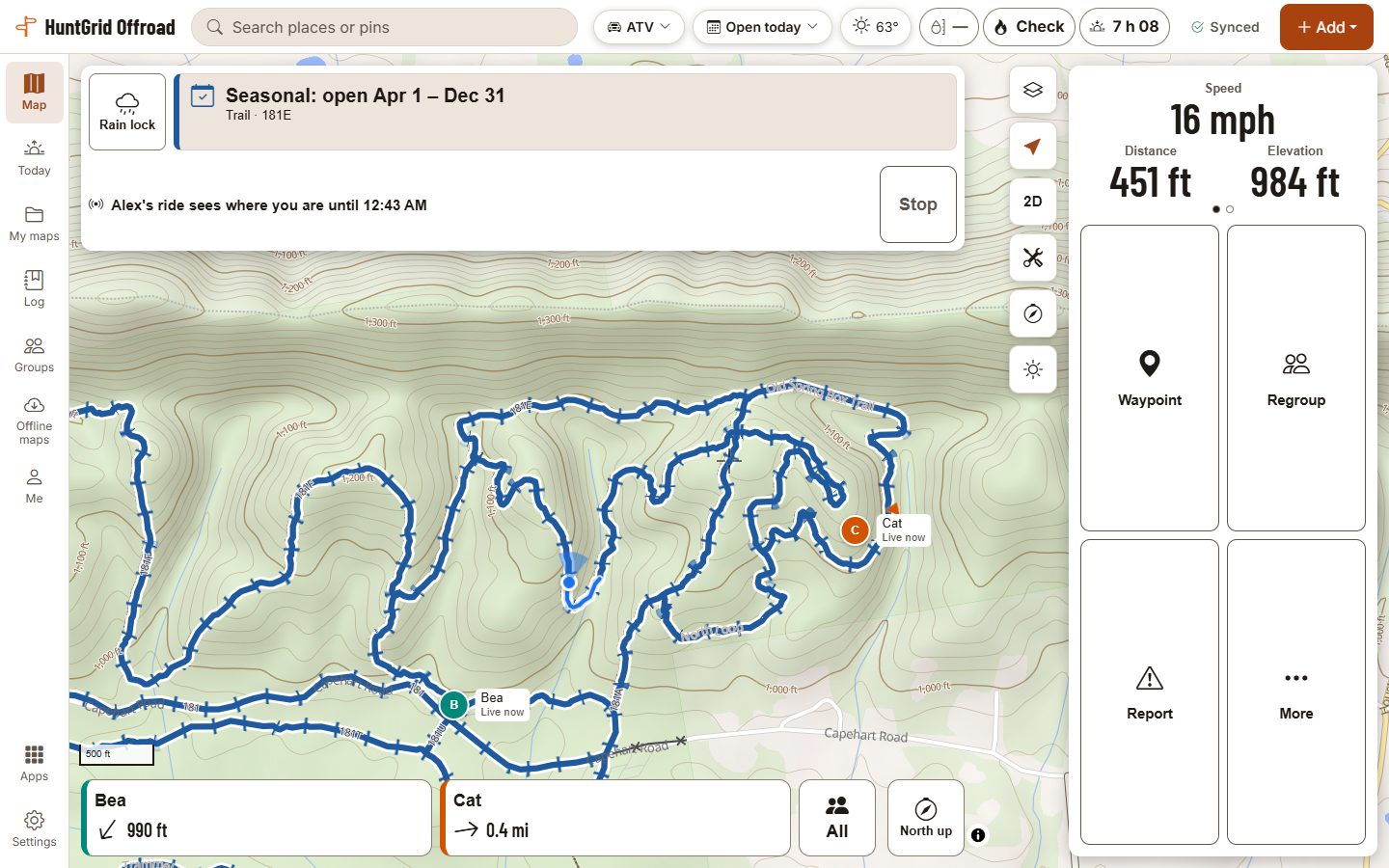
Start a convoy, send the invite link, and everyone in it sees the group on the map during the ride. The leader and the sweep hear when someone falls behind or stops. Each position shows how old it is, and sharing ends with the convoy.
Map data © OpenStreetMap contributors, © OpenMapTiles; terrain: Copernicus WorldDEM-30 (credits)
Ride together
Start and invite
Name the convoy, pick when it ends (up to 24 hours) and share the link or its QR code. A club can start a ride for its members; positions go only to the riders who join.
Everyone on the map
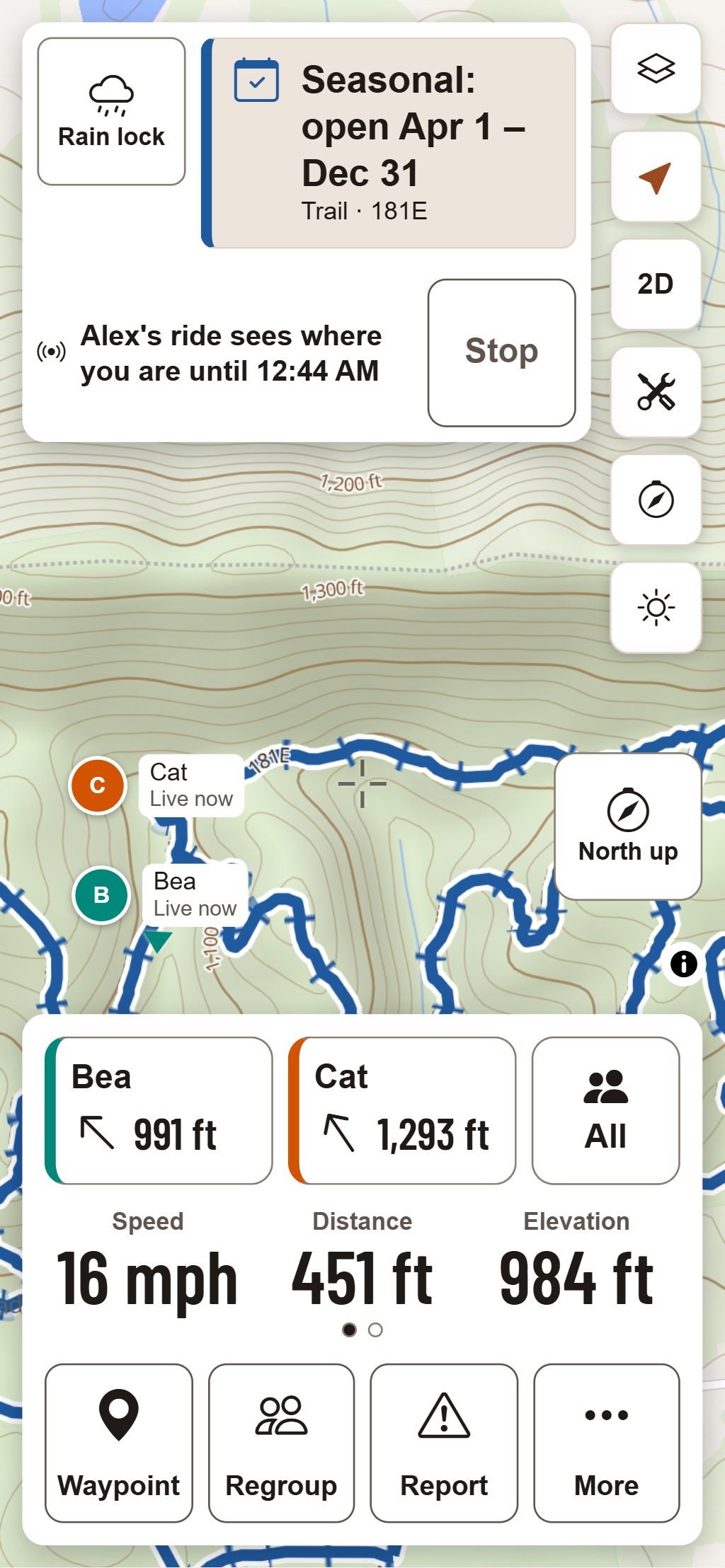
Each rider’s marker with their name and direction, and “Live now” or the time it last updated. Old positions are greyed.
Leader and sweep
The leader rides in front and the sweep at the back. Their phones tell them when a rider falls behind, stops while the group moves on, or stops updating.
Check-ins
I’m OK, Heading back and Need help, each in one place. Need help takes a one-second hold and sends your position to the convoy.
Meet points
The leader or sweep sets a regroup spot; everyone sees its distance and direction and can head there.
In Ride Mode
A strip along the screen shows the nearest riders with their distance and direction, and alerts land there.
Map data © OpenStreetMap contributors, © OpenMapTiles; terrain: Copernicus WorldDEM-30 (credits)
Honest positions
Every position shows its age
Positions travel over the phone network. When a rider’s phone has no signal, the map says so rather than pretending.
- With no connection, the last known positions stay on the map, greyed, with how long ago each was heard.
- When the leader’s or sweep’s own phone loses signal, its regroup alerts pause and say so, then resume when it reconnects: a quiet phone isn’t mistaken for a rider in trouble.
- A check-in made with no signal is sent when the phone reconnects, with its original time and place.
- Positions are shared only with the convoy’s members, from when each joined until the convoy ends, then deleted.
Convoy helps a group keep track of each other; it isn’t an emergency service. In an emergency, call your local emergency number or use a satellite messenger.
Questions
Still have a question? Read the HuntGrid Offroad help pages or email support@huntgrid.net.
Who can see my position?
Only the members of the convoy you joined, from when you joined until the convoy ends. When it ends, the positions, trails and messages of that convoy are deleted. Club members who didn’t join the ride don’t see it.
How long does a convoy last?
Until the leader ends it or the end time set when it started, at most 24 hours. Sharing stops when you end your ride or leave the convoy.
Does it work with no cell signal?
Positions need a connection to travel. Without one, each rider’s last known position stays on the map with its age, the leader’s and sweep’s alerts pause until their phone reconnects, and check-ins are sent when the phone reconnects.
Will I get alerts with the app closed?
No. Browsers don’t let a web app run in the background, so alerts come only while the app is open, as in Ride Mode. The convoy sheet says so.
Is it free?
Yes. Everything on this page is in the free plan, with no credit card. HuntGrid Offroad is in open beta, and there are never ads on the map or in Ride Mode.
Your next ride starts on the map
Create a free account and open HuntGrid Offroad in your browser. The same account works for every HuntGrid app.
Already have an account? Sign in