 HuntGrid
Offline maps
Free offline trail maps, as many as your phone holds
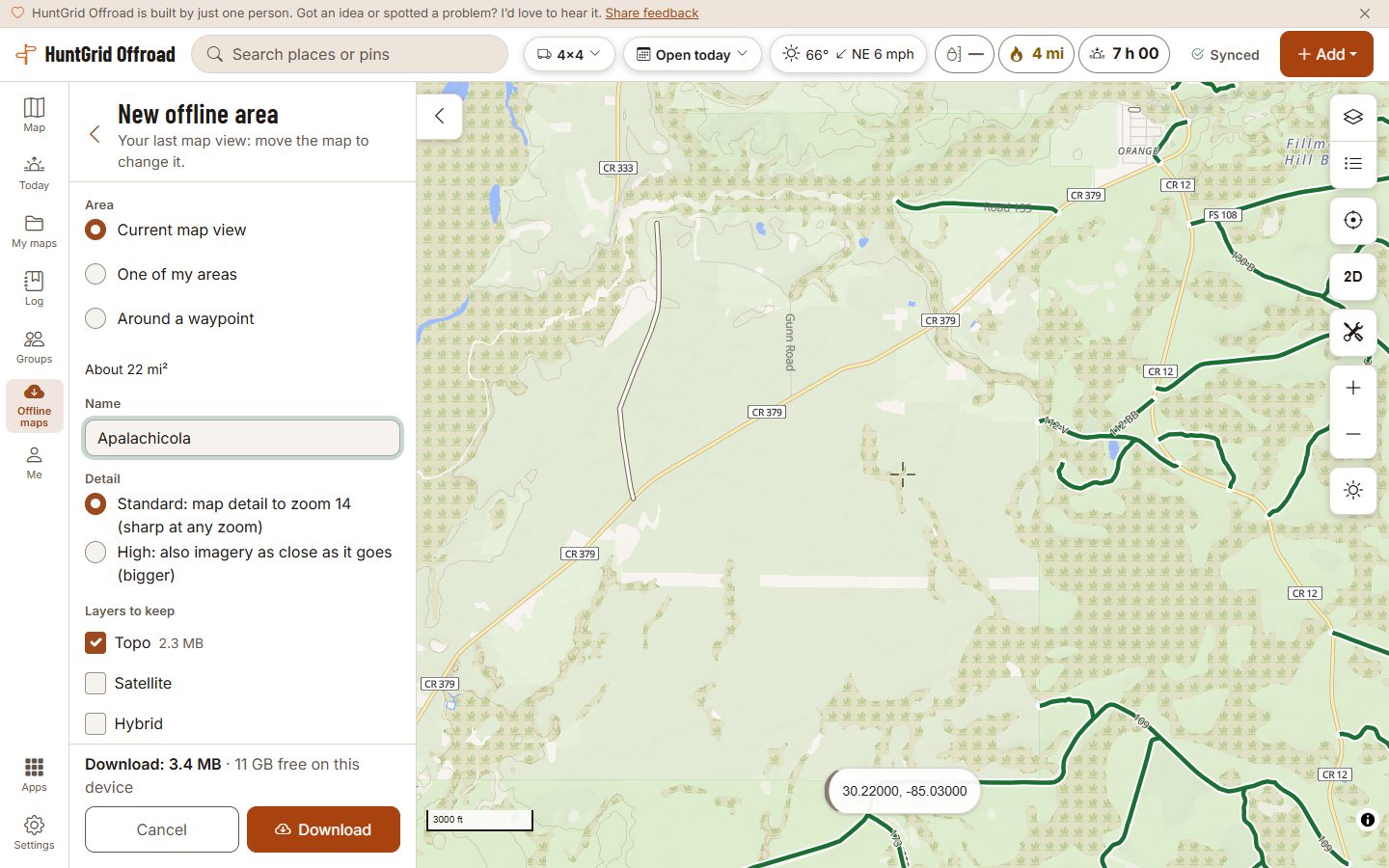
Save the places you ride before you lose signal. Each area keeps the map, the terrain, the routes with what their official sources say for your machine, and a search index, so the map works the same in a canyon as it does at home.
Map data © OpenStreetMap contributors, © OpenMapTiles; terrain: Copernicus WorldDEM-30 (credits)
Pick what to save
The map you see
Save the view on screen. The page shows the size of each part and the free space on your phone before you start.
A ranger district or field office
One tap saves the Forest Service ranger district or BLM field office at the map’s centre, named after it.
Along a line
Pick a saved track, an imported GPX or a planned ride and a width, from ¼ mile to 3 miles either side, and save just that corridor.
No limit on areas
Keep as many areas as your phone holds, on the free plan. Updates wait until you choose them, and a dot says when an area has newer data.
Map data © OpenStreetMap contributors, © OpenMapTiles; terrain: Copernicus WorldDEM-30 (credits)
With no signal
Search and answers that work offline
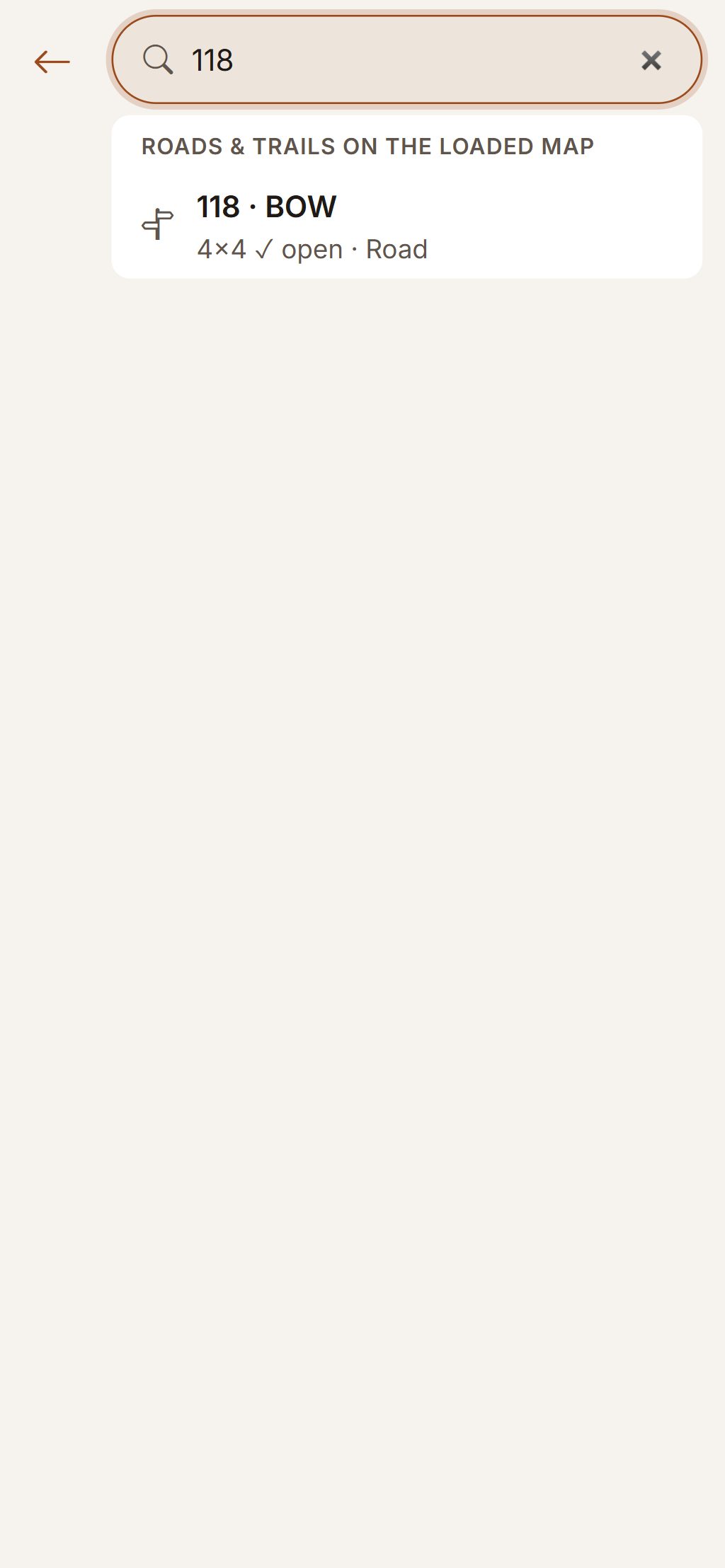
When search can’t reach the server, it looks in your saved areas instead, nearest first, under “From your offline areas”.
- Find a route by its number or name, with the answer for your machine on the map’s date worked out on your phone.
- Find fuel, charging, trailheads, staging areas and campsites from OpenStreetMap in the areas you saved.
- Each area keeps the rules and dates of its routes, and the trail reports, closures and route status as they were when it was last refreshed, with that time shown.
- Rides record with no signal and upload when you’re back in range.
Saved data is only as new as its last refresh: closures can happen after you leave. Official maps and posted signs control.
Questions
Still have a question? Read the HuntGrid Offroad help pages or email support@huntgrid.net.
How many areas can I save?
As many as your phone has room for, on the free plan. The page shows each area’s size and your free space before it downloads.
What works with no signal?
The map, the terrain, the routes with their answer for your machine, the search of your saved areas, Ride Mode and recording a ride. Weather, new reports and anything outside your saved areas need a connection.
How do I keep an area up to date?
Open the app while you have signal. An area’s reports and closures refresh on their own while the app is open on a connection that isn’t metered; when its map or routes change, the area offers an update and you choose when to download it.
Is it free?
Yes. Everything on this page is in the free plan, with no credit card. HuntGrid Offroad is in open beta, and there are never ads on the map or in Ride Mode.
Your next ride starts on the map
Create a free account and open HuntGrid Offroad in your browser. The same account works for every HuntGrid app.
Already have an account? Sign in