 HuntGrid
Ride Mode
Ride Mode, built for gloves and handlebars
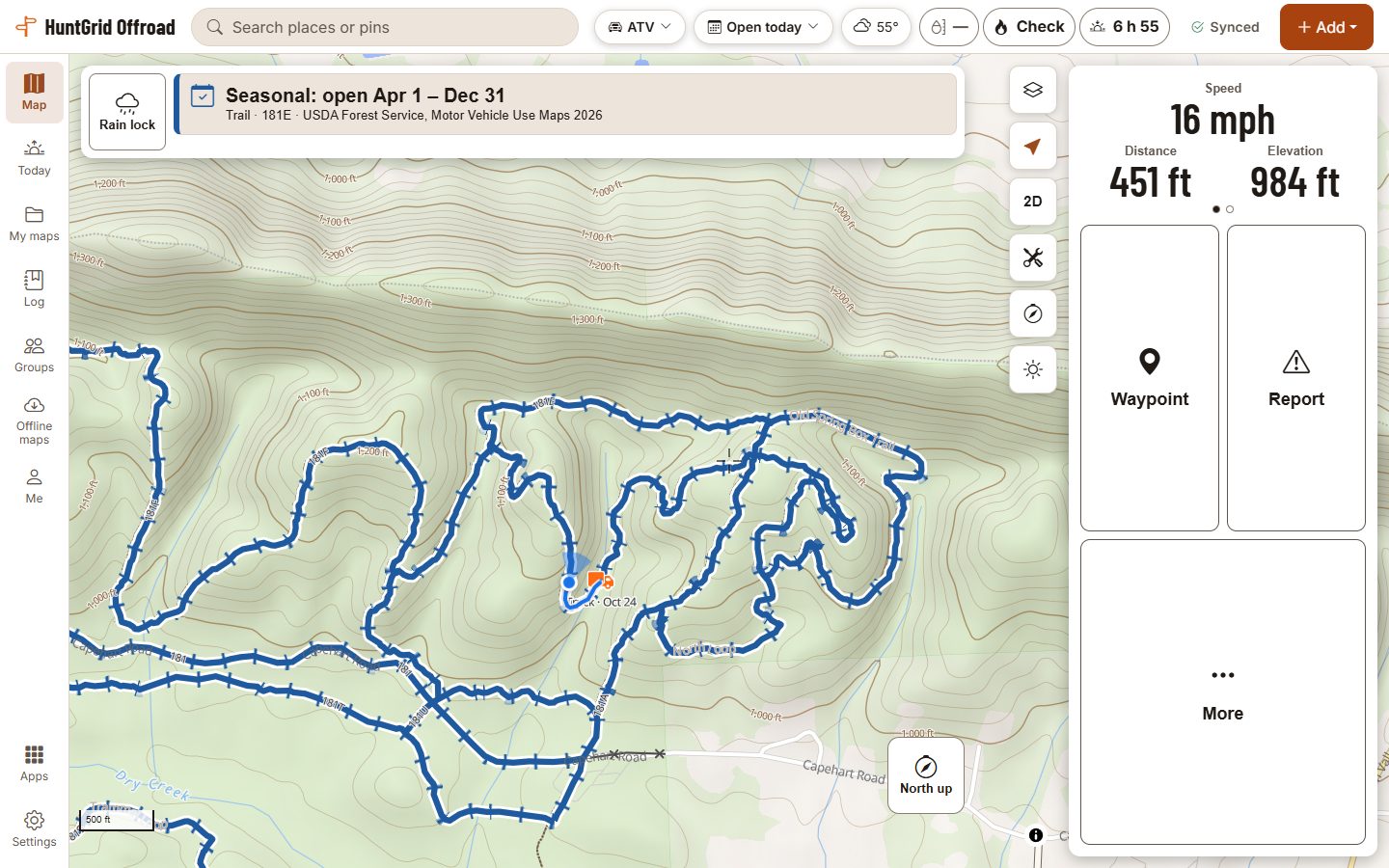
Start a ride and the map becomes a screen you can use with gloves on a bumpy trail: the route you’re on and what its source says for your machine, a dash, and buttons big enough to hit at a stop. No ads, ever.
Map data © OpenStreetMap contributors, © OpenMapTiles; terrain: Copernicus WorldDEM-30 (credits)
Made for the trail
The route you’re on
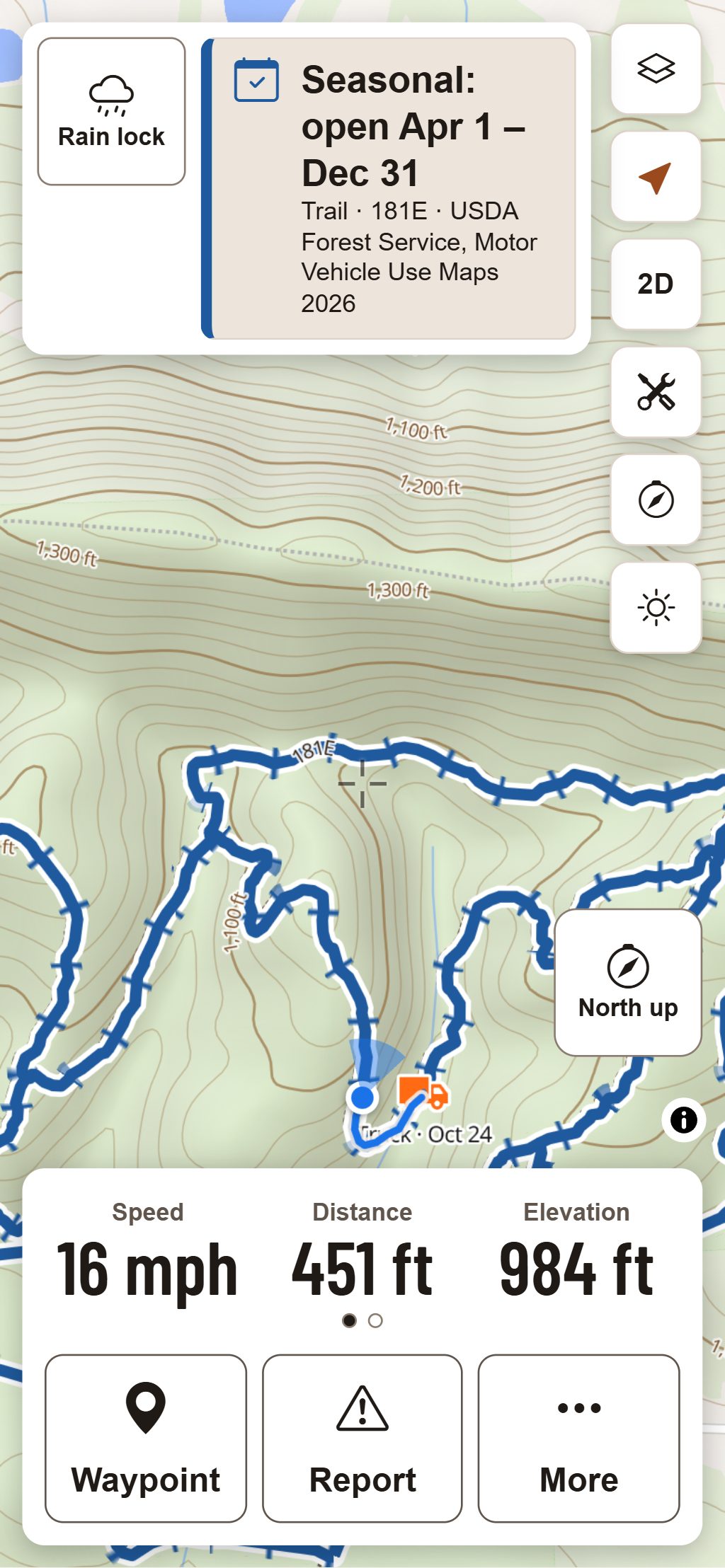
A band at the top names the route under you and what its source says for your machine today, with an icon and a word as well as a colour.
A warning off the network
A strong alert when you ride onto a route closed to your machine, into a no-motor area, or off every route where only marked routes are open. A gentle cue when you move onto ground with no known rules.
Big buttons for gloves
Every button and sheet in Ride Mode is at least 80 px. Rain lock makes each one need a one-second hold, so rain and brushes don’t press anything.
The dash
Speed, distance, elevation and moving time in your units, and a fuel-range estimate from the tank size and fill-ups in your garage.
Portrait or handlebar
Upright on a phone, or a landscape layout for a handlebar mount and tablets. The map turns with your heading, and the screen stays on where the phone allows it.
Voice cues in English or French
The warnings are spoken in the app’s language with a voice on your phone, so they work with no signal where the phone has one. Or choose vibration only.
Map data © OpenStreetMap contributors, © OpenMapTiles; terrain: Copernicus WorldDEM-30 (credits)
At a stop
What you need, one tap away
Ride Mode keeps the few things riders reach for on the trail within a thumb’s reach, on either side for the left or right hand.
- Back to truck: the way back to where you started, straight or along your own track.
- Drop a waypoint with one tap, or report mud, a washout or a closed gate where you are.
- Pocket mode blacks out the screen to save battery, and the alerts still buzz.
- Day, sun and night themes, with the band still readable without colour at night.
- Your ride records as you go and saves on your phone, with or without signal.
The warning is a helper, not a guarantee: GPS can drift and data can be out of date. Official maps and posted signs control.
Questions
Still have a question? Read the HuntGrid Offroad help pages or email support@huntgrid.net.
When does Ride Mode warn me?
Strongly when you ride onto a route closed to your machine, into an area closed to motor vehicles, or off every route in a place where only marked routes are open. Elsewhere, moving onto ground no source rules on gives a gentle cue instead, so the strong alert keeps its meaning.
Can I count on the warning?
Use it as a helper. It works from your phone’s GPS and the data we have, so a weak signal or old data can make it late or wrong; when the signal is weak the band says so. Official maps and posted signs control.
Does Ride Mode work with no cell signal?
The ride records and the band, the dash and the warnings keep working from what is on your phone. Download the areas you ride before you go so the map is there too.
Does it work with the app closed?
No. Ride Mode works while the app is open; pocket mode keeps it open with the screen dark. Browsers don’t let a web app watch your position once it’s closed.
Is it free?
Yes. Everything on this page is in the free plan, with no credit card. HuntGrid Offroad is in open beta, and there are never ads on the map or in Ride Mode.
Your next ride starts on the map
Create a free account and open HuntGrid Offroad in your browser. The same account works for every HuntGrid app.
Already have an account? Sign in