 HuntGrid
Backcountry guide · 4 min read
Leaving a trip plan
Someone at home should know where you’re going and when you’ll be back. Leave them a trip plan from the trip itself, check in when you can, and carry a way to call for help.
On this page
A trip plan tells someone you trust where you’re going, who’s with you and when to expect you back, so that if you don’t come back, they know when to worry and what to tell the people who will look for you. This guide shows how to leave one from HuntGrid Backcountry, and what it can and can’t do.
Leave the plan from the trip
Open the trip and leave a trip plan. The route, the start and the end, the camp for each night, where the car is parked and when you expect to be back are filled in from your days. Add your party, your boat and its colour, your permits and a link to your satellite tracker if you carry one. Spare days can widen the time your contact expects you back.
What your contact sees
Your contact gets an email with a link to the plan’s page, which opens without an account while the plan is active, and shows nothing after it ends: the route on a map, the camps with tonight’s marked, the party and the boat. Past the time you’re due back, they get an email with tonight’s camp, your last position if you sent one, and the emergency number for the country, in their language.
Check in on the trip
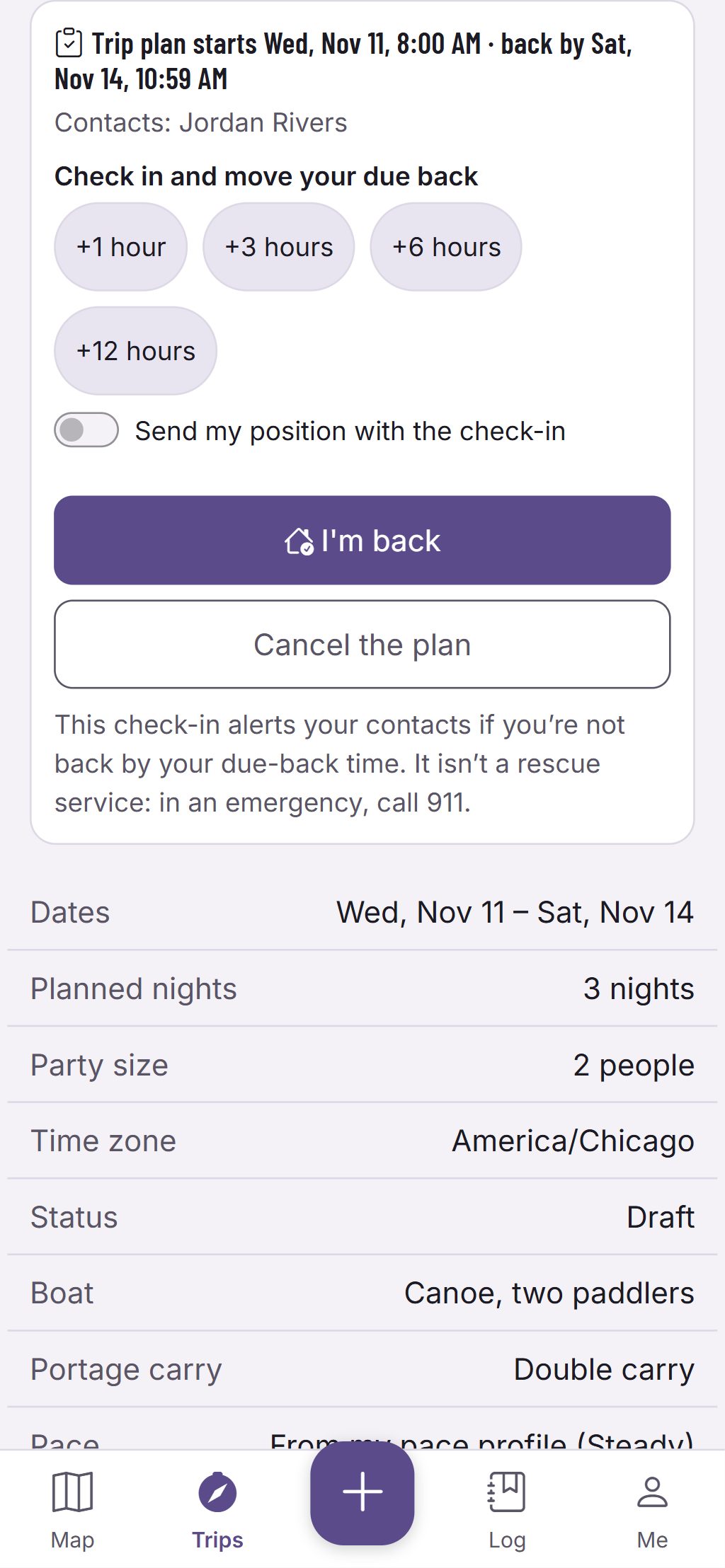
The trip shows its plan and when you’re due back. Check in to add hours when you’re running late, and send your position with it only when you choose to. With no signal, a check-in waits on the phone and says it will be sent when there’s a signal, never that it was sent. Tap I’m back at the end, or cancel the plan. Save your contacts and your usual party once, and reuse them on the next trip.
A backup, not a rescue service
A trip plan only helps after you’re overdue, and only if your contact acts on it. Nobody can track you or send help through it, and there is often no cell signal out there. Carry a satellite messenger or a personal locator beacon, and know how to use it.
See trip plans and check-in. More about HuntGrid Backcountry.
Questions
Still have a question? Read the HuntGrid Backcountry help pages or email support@huntgrid.net.
Does my contact need an account?
No. They get an email with a link to the plan’s page, which opens without signing in while the plan is active.
Does a trip plan replace a satellite messenger?
No. Your contact is alerted if you’re overdue, but nobody can track you or send help from it. Carry a satellite messenger or a personal locator beacon.
Your next trip starts on the map
Create a free account and open HuntGrid Backcountry in your browser. The same account works for every HuntGrid app.
Already have an account? Sign in